| Feature | Description |
| Optimized for | Installation under the layout |
| Dimensions | 74 x 46 mm |
| Processor | Espressif ESP-32 |
| Input Voltage | approx. 9V to 24V DC (smoothed DC), digital current, AC with support capacitor |
| Power Outputs | 8x 1 A, short-circuit protected (total max. 6 A) |
| Servos | via expansion board "Balises & Servos" |
| Total Current Max. | 12 A |
| Sensor Inputs | 4x Digital (opto-coupler with 2 kOhm), e.g. for detection track, DCC sniffer |
| Interfaces | 2x for CTC-IR-Balises (each max. 12 mA), NFC reader, expansion "Balises & Servos" |
| Online passive power | TODO |
| Boot power | TODO plus switching current for initializing outputs |
Available from 30.10. in the online shop.
In the overview "Switching with CTC " you will find further modules and links to installation instructions.
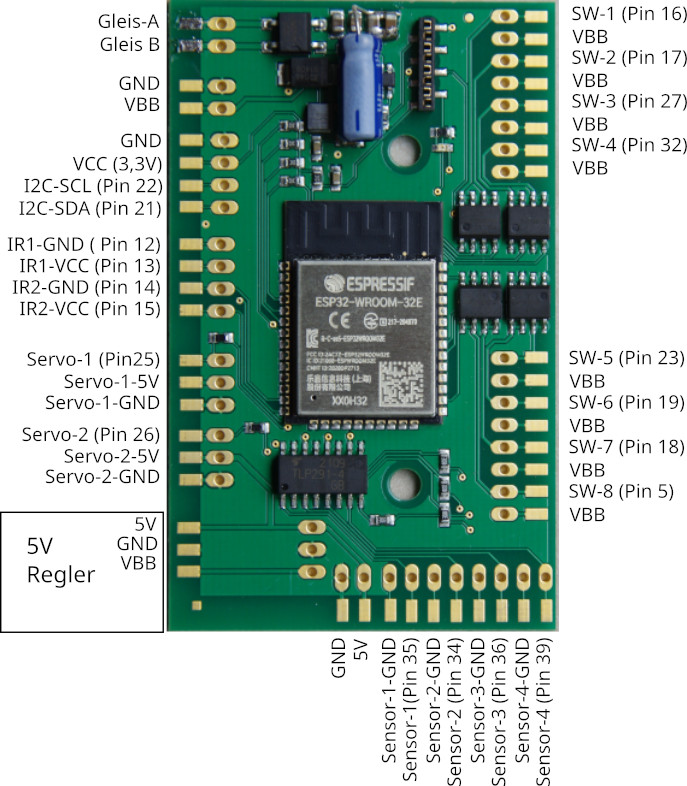
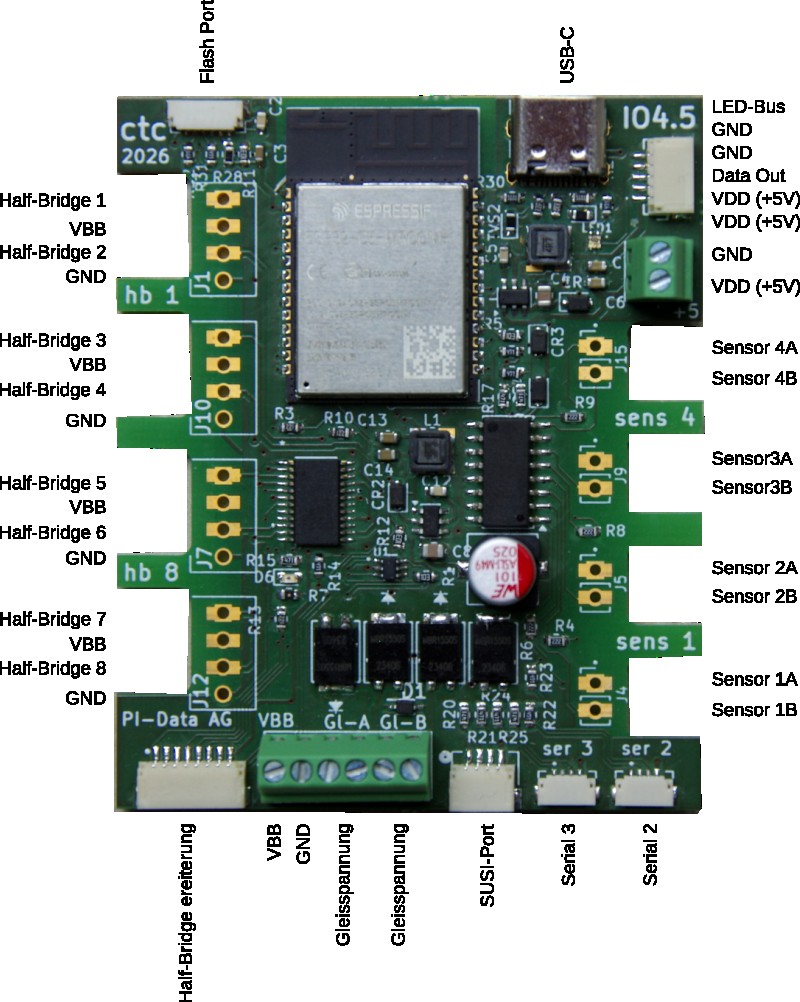
Pin Assignment
Connectors
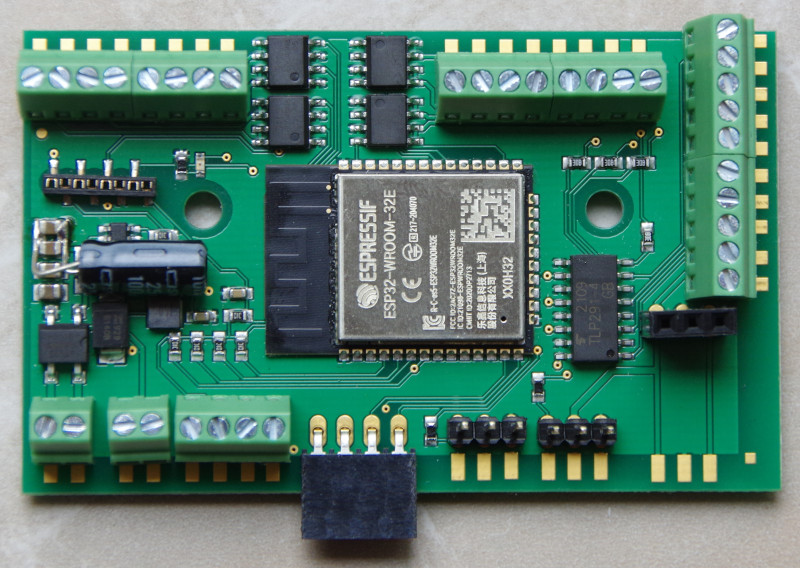
By default, the IO4 board comes with the white JST sockets and contacts for PCB connectors as shown in the image.
Instead of PCB connectors, you can equip it with connectors of your choice in the 2.54 mm grid. Here are a few examples (in the image from left to right):
- Screw terminal PHOENIX CONTACT - our standard equipment for many of our modules
- Spring-loaded terminal RIA CONNECT
- Vertical socket strip : Please note that a plug connection via a socket strip hanging vertically downwards can easily come loose.
- Angled socket strip
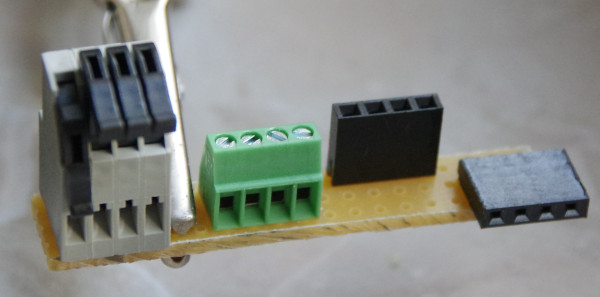
Due to the risk of short circuits caused by the exposed pins, we advise against using pin headers.
Connection
Notes:
- When selecting the input voltage, please remember that motors, lamps, etc. connected to the CTC module must also be compatible with this voltage
Standard configuration
- Connect the contacts Track-A and Track-B to the track or power supply. It does not matter whether it is a digital control unit or a power supply unit, as long as the maximum voltage of 24 V is not exceeded. Since there is a rectifier at the input, it also does not matter which pole you connect to Track-A and Track-B. Since the screw terminals are specified for a maximum of 6 A, please connect both track screw terminals each if currents above 6 A are expected.
- Connect actuators (turnouts, signals, ...) to the switching outputs (Half-Bridge x). Connect the negative pole to the respective switching output (Half-Bridge x) and the positive pole to VBB. The outputs labeled VBB are all internally connected, i.e. it does not matter which one you use, and you can also connect several actuators together to one of the VBB contacts.
- Plug in the CTC-IR-Balises at Serial-2 or Serial-3. Important: For the IO-Board 4 you need CTC-IR-Balises of the second generation, which have a different resistor (220 Ohm). Please also refer to the CTC-IR-Balise datasheet . Note: The board already has 940 Ohm resistors installed for each balise, which is why the new IR-Balise-2 only needs 220 Ohm.
- Connect the DCC track signal to one of the sensor inputs. Connect one of the connections with a diode.
- Connect sensors (e.g. detection tracks) to the 4 sensor inputs. The polarity no longer matters. A 2 kOhm resistor and an opto-coupler on the Multi-I/O board ensure that the electronics cannot be damaged.
- Connect the wagon reader (NFC reader) to Serial-2 or Serial-3.Note: If the NFC reader is used, the second IR receiver cannot be used.
- Connect the SUSI sound module to the SUSI port.
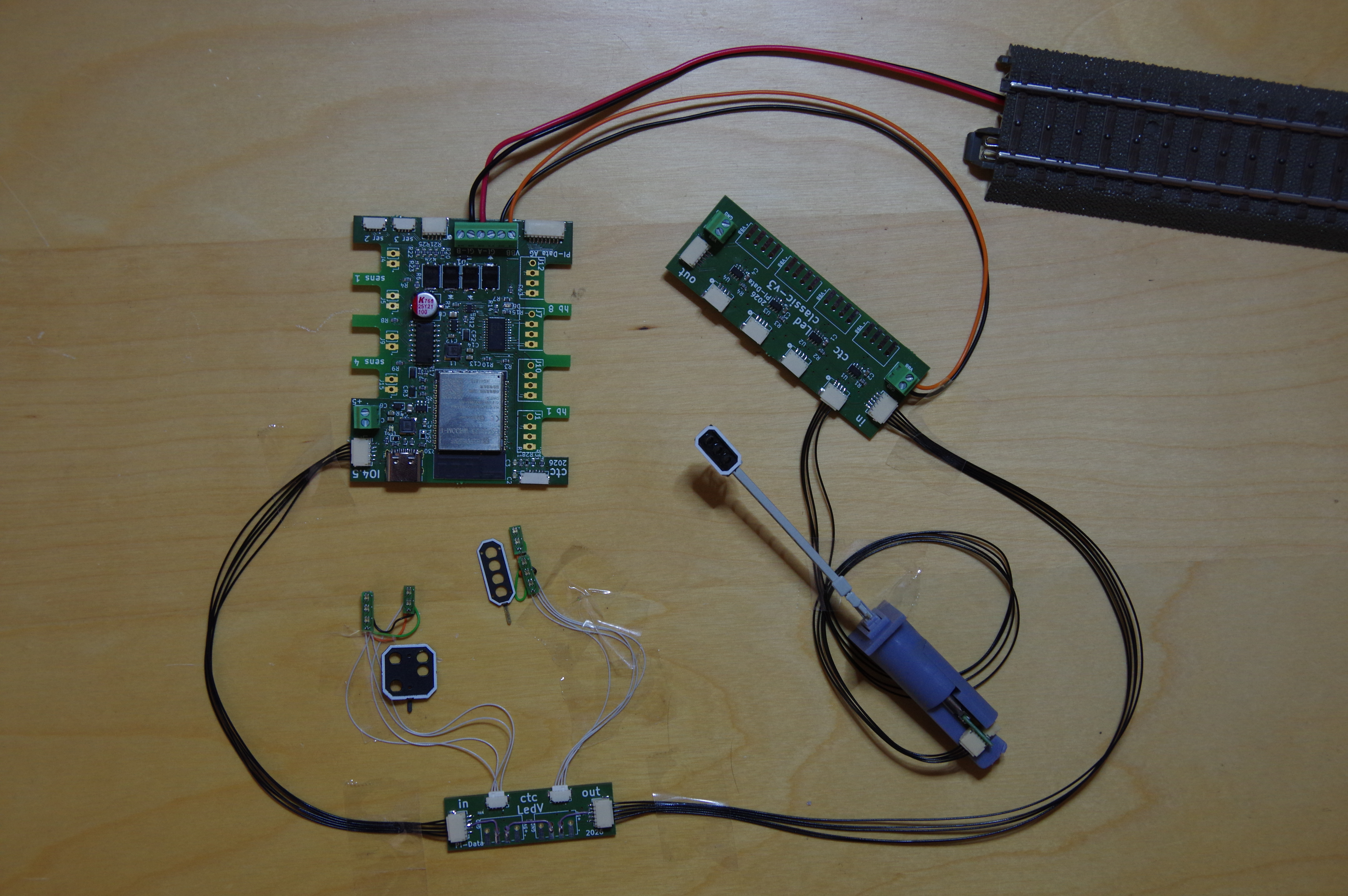
- The LED bus is operated with expansions by default. The first LED of the LED bus is installed on the board and indicates the status of the CTC-Multi-IO board (green when the module is ready and connected to the WiFi).
- Half-Bridges expansions
- USB-C: Can be used as an alternative to track voltage for power supply. Half-Bridge 1 to 8 and VBB as well as the Half-Bridge expansion will then be non-functional.Note: Please never connect track voltage and USB-C simultaneously Flash port: Currently only for uploading firmware during manufacturing.
The assignment of pins to switches in the app can be configured (Cfg.xml).
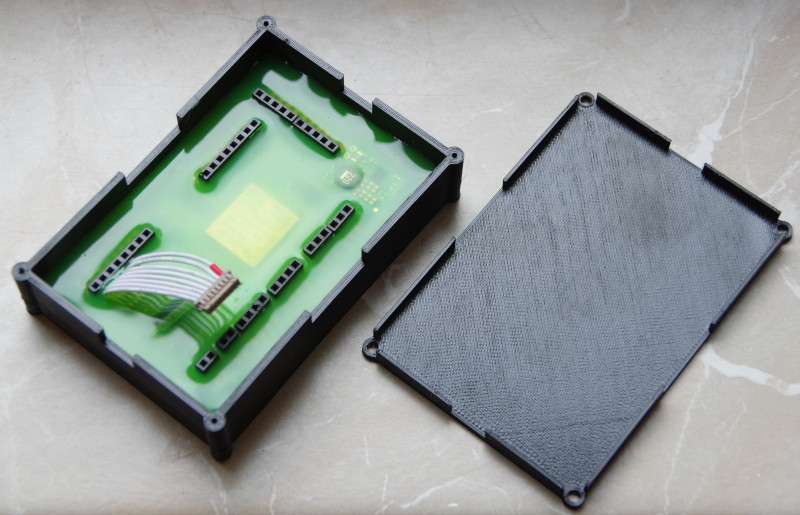
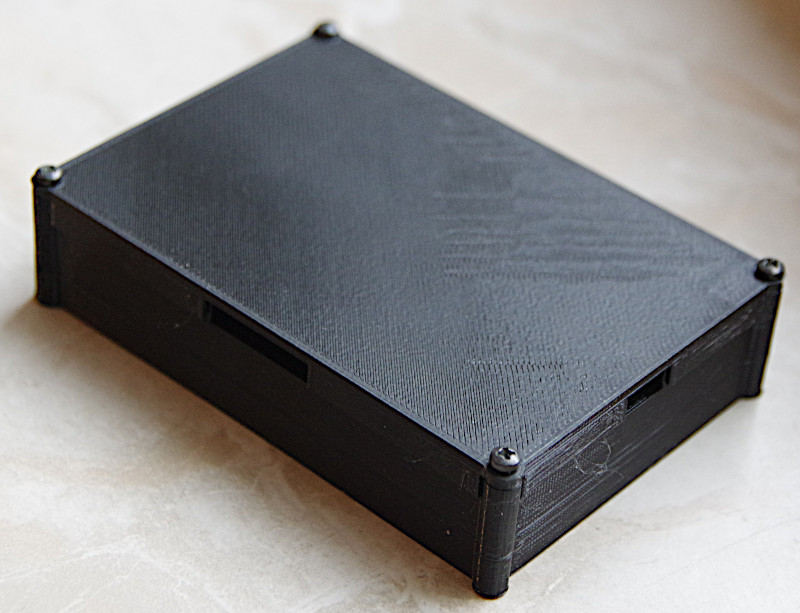
The IO4 board is supplied with a housing.
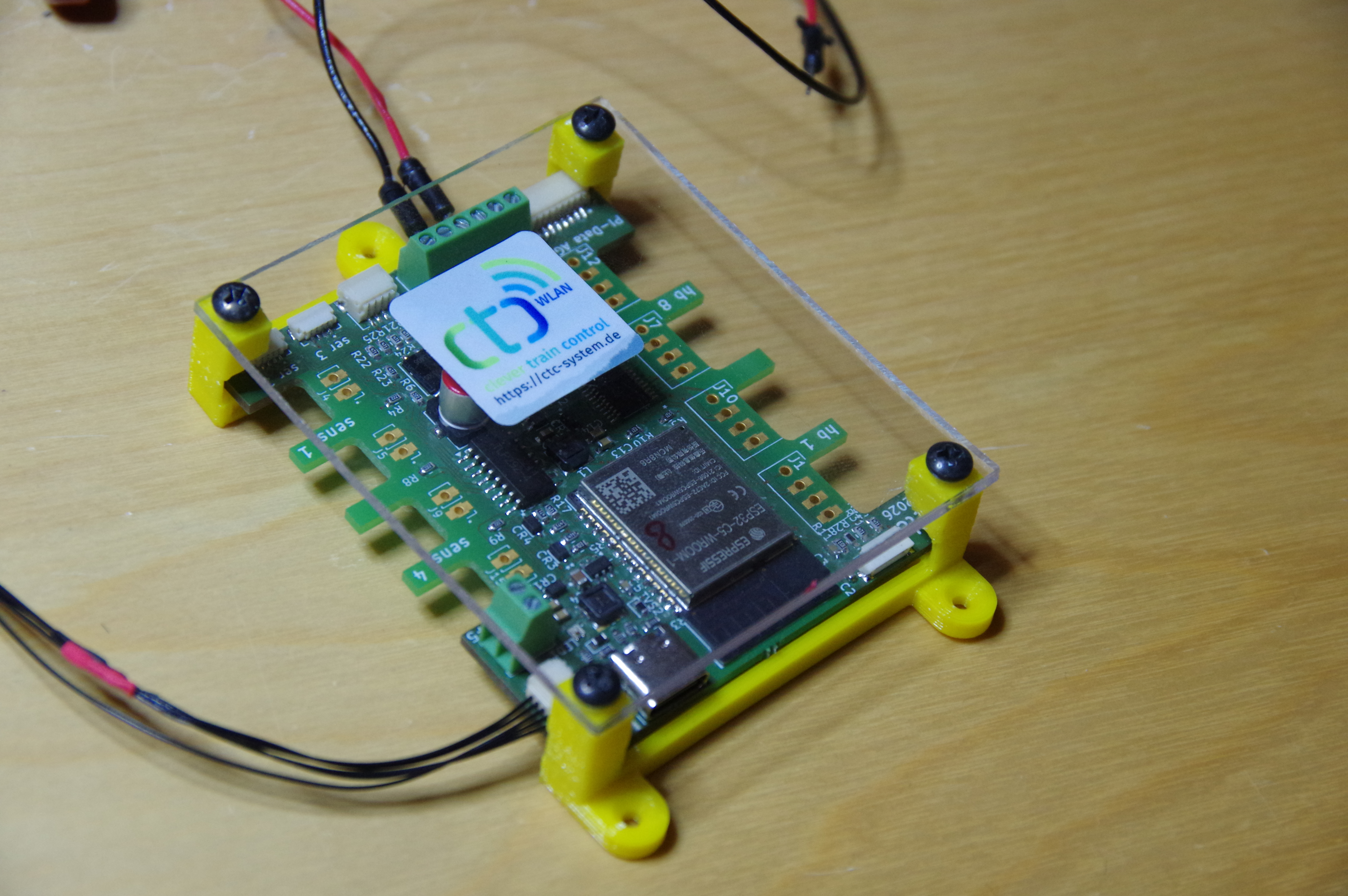
Caution: The 5 volt voltage regulator can become up to 130 °C hot. Therefore, never operate the CTC-Multi-IO-Board-4 without a housing ## Expansions
The following expansions are available for the IO4 board:
- LED distributor for connecting products with RGB LEDs to the LED bus, e.g. signals from the new 5-volt series of Schneider model railway accessories
- LED-CLASSIC for connecting standard LEDs to the LED bus
- Expansion board for balises and servos (coming soon)
- Expansion board for the half-bridges (planned)