| Feature | Description |
| -------------------- | ----------------------------------------------------------------------------------- |
| Optimized for | Installation under the layout |
| Dimensions | 74 x 46 mm |
| Processor | Espressif ESP-32 |
| Input voltage | approx. 9V to 24V DC (smoothed DC), digital current, AC with support capacitor |
| Power outputs | 8x 1.2 A, short-circuit protected (total max. 1.5 A) |
| Servos | 2x (require external power supply) |
| Total current max. | 2 A |
| Sensor inputs | 4x Digital (opto-coupler with 2 kOhm), e.g. for detection track |
| Interfaces | 2 CTC-IR beacons (each max. 12 mA), NFC reader |
| Current online passive | approx. 20 mA at 16V |
| Current booting | approx. 50 mA at 16V plus switching current for output initialization |
For more modules and links to installation instructions, see the overview "Switching with CTC ".
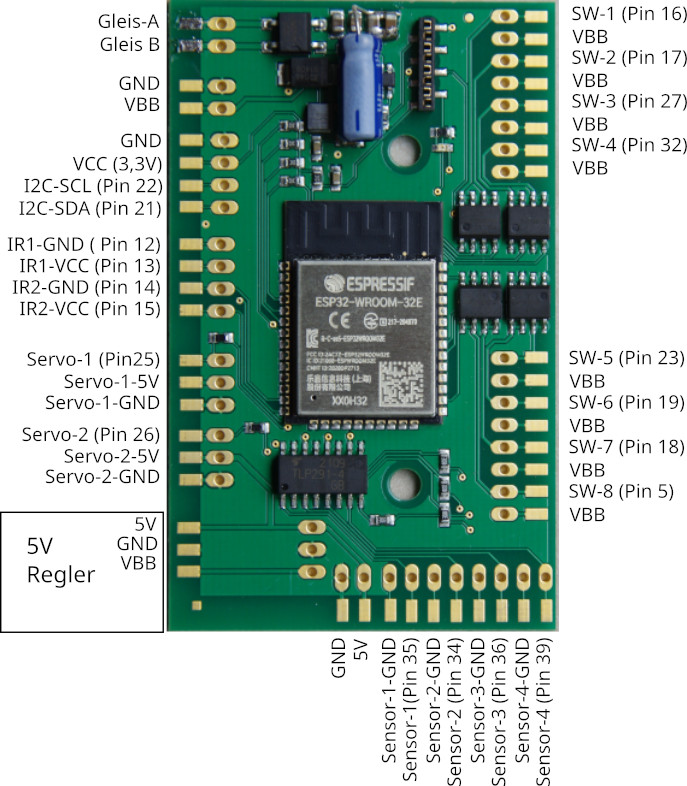
Pin assignment
Connectors
We supply the CTC-Multi-I/O board standard with screw terminals:
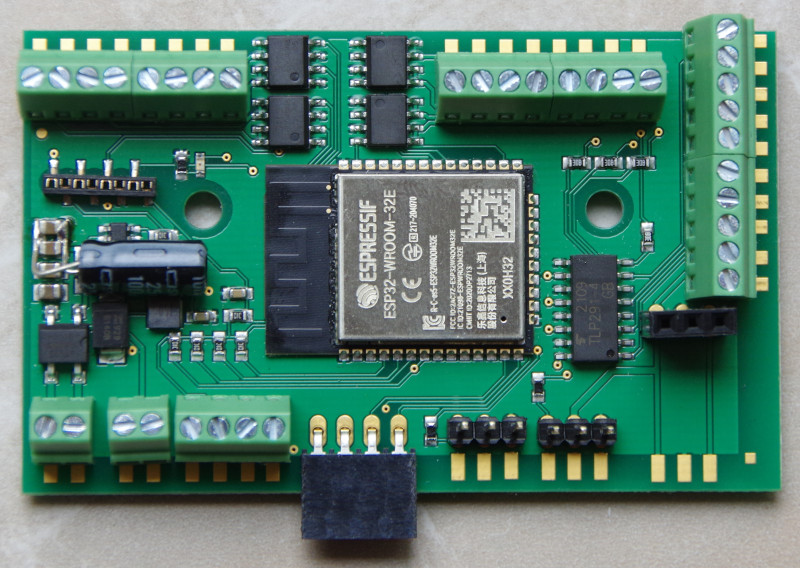
Alternatively, you can order it without connection terminals and equip it with your preferred 2.54 mm pitch connectors according to your needs. Here are a few examples (in the image from left to right):
- Spring-loaded terminal RIA CONNECT
- Screw terminal PHOENIX-CONTACT – our standard configuration
- Vertical socket strip : Please note that a plug connection via a socket strip hanging vertically downwards can easily come loose.
- Right-angled socket strip
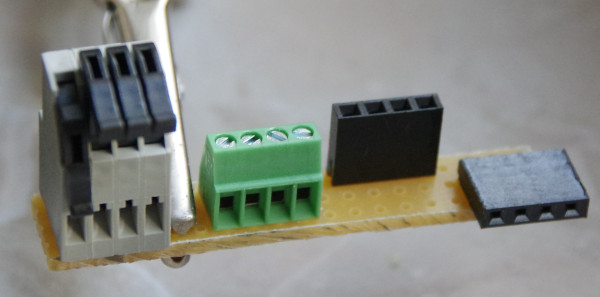
Due to the risk of short circuits caused by the exposed pins, we advise against using pin headers.
Connection
Notes:
- When selecting the input voltage, please remember that motors, lamps, etc. connected to the CTC module must also be compatible with this voltage
Standard configuration
- Connect the track-A and track-B contacts to the track or power supply. It does not matter whether it is a digital control unit or a power supply unit, as long as the maximum voltage of 24 V is not exceeded. Since a rectifier is connected at the input, it also does not matter which pole you connect to track-A and track-B.
- Connect actuators (turnouts, signals, ...) to the switching outputs (SW-x). Connect the negative pole to the respective switching output (SW-x) and the positive pole to VBB. The outputs labeled VBB are all internally connected, i.e. it does not matter which one you use and you can connect multiple actuators to one of the VBB contacts.
- Connect the CTC-IR beacons to IR1-GND (negative pole, green) and IR1-VCC (positive pole, red) or IR2-GND and IR2-VCC. See also the data sheet for the CTC-IR beacon
.Under no circumstances forget the resistor (typically 1 kOhm, min. 330 Ohm) in the IR beacon, otherwise the Multi-I/O board will be damaged.
- Connect sensors (e.g. detection tracks) to the 4 sensor inputs.
- Connect the wagon reader (NFC reader): The NFC reader is powered via VCC (3.3V) and GND. NFC-TX and NFC-RX are used for data transmission.Note: If the NFC reader is used, the second IR receiver cannot be used.
The assignment of pins to switches in the app can be configured (Cfg.xml).
For the two (optional) servos:
- Connect the power supply for the servos either via the 5V/GND terminals or solder a piggyback board.
- Connect the servo connectors to the servo outputs (note: pin assignment of the connectors is not standardized .
NOTE: For AC power supply, the (blue in the first image) support capacitor is mandatory.
Outdoor version
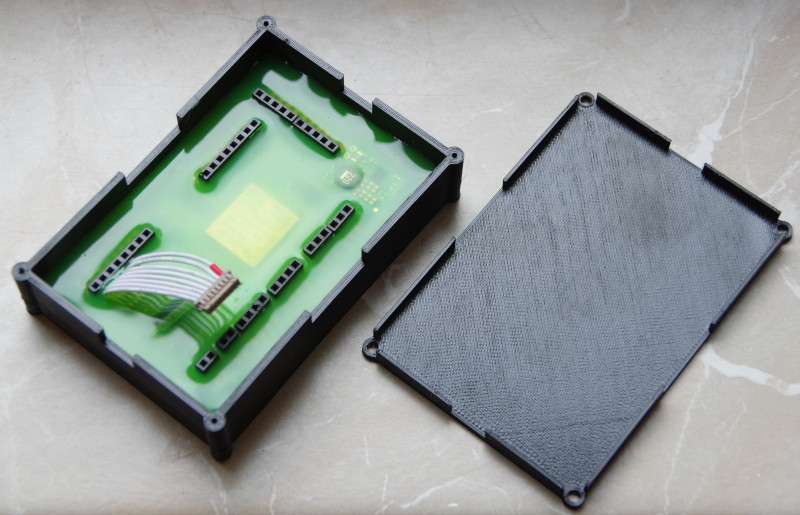
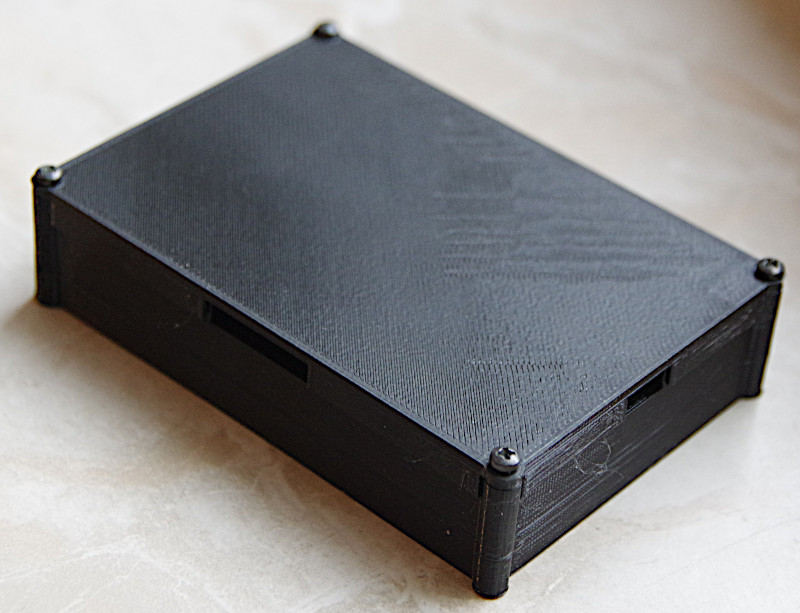
For operation in the garden (outdoor), after unsuccessful experiments with spray lacquer, we decided to have the electronics completely potted. This is a bit more expensive, but it still works even when the layout is underwater.