





The CTC-Multi-I/O-Board and also the CTC-Loco-Module-H0d come with built-in connections for two model railway servos.
Servos are not among the most commonly used actuators in model railways, but they are often mentioned for the following tasks:
- turnout drives
- raising and lowering pantographs (of electric locomotives)
- special effects
In the CTC-App, servos can be displayed in two ways:
- As a function: Here, they define two or more positions of the servo that can be accessed with a button press.
- As a controller: Here, you can adjust the servo across its full range using plus/minus buttons or a slider.
Turnout drive
In the case of a turnout drive, the servo is displayed as a function, just like any other turnout drive.
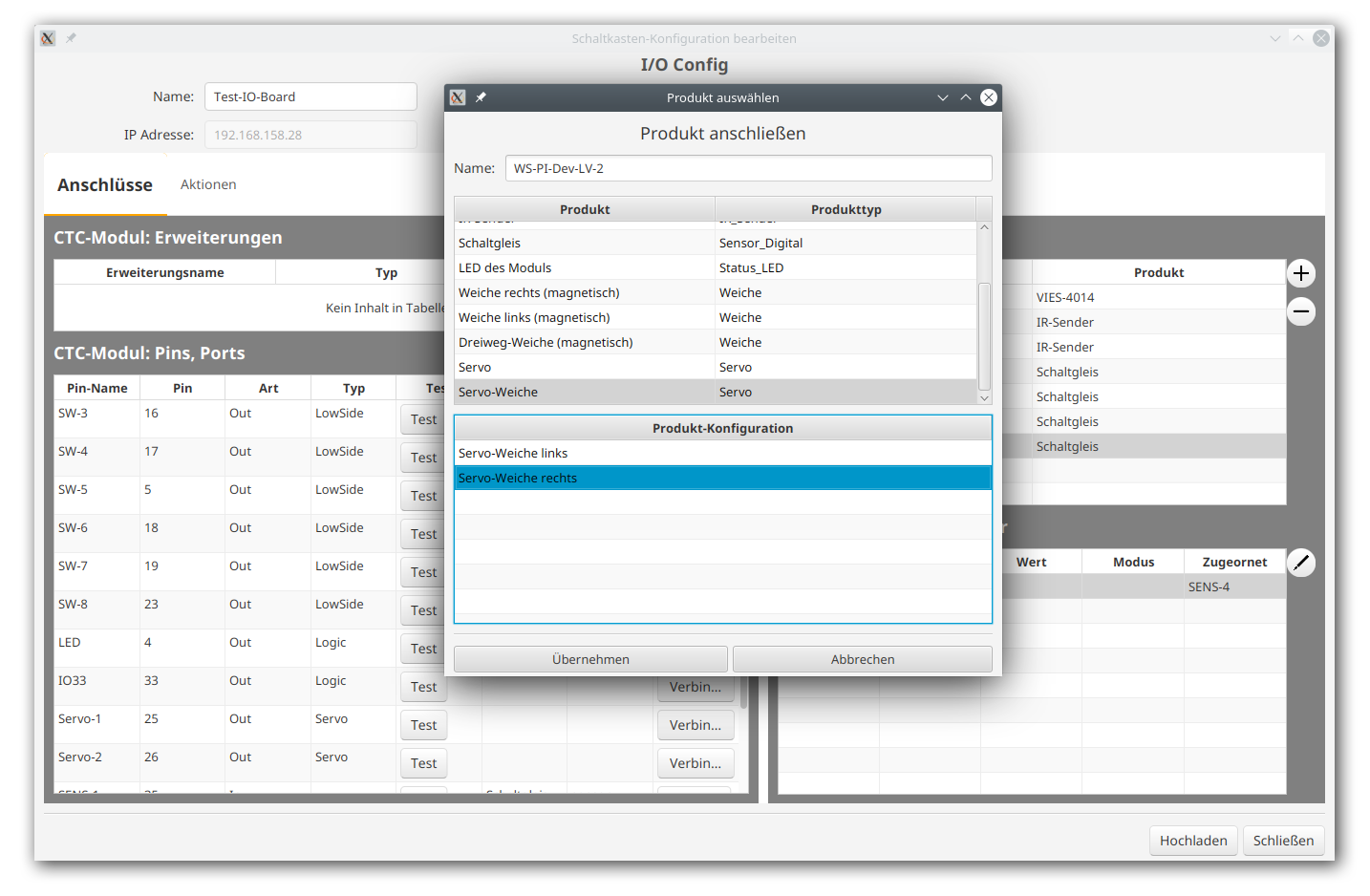
To do this, open the config of the Multi-I/O-Board to which your servo turnout drive is connected. There, click the plus button to the right of "Connected products" and select "Servo turnout" from the product catalog "universell-weichen.xml":
After connecting it, you only need to adjust the servo values for the two positions. To do this, switch to the "Actions" tab and select the function under the servo turnout. Then select the "pin commands in the script and enter the correct values for your drive.
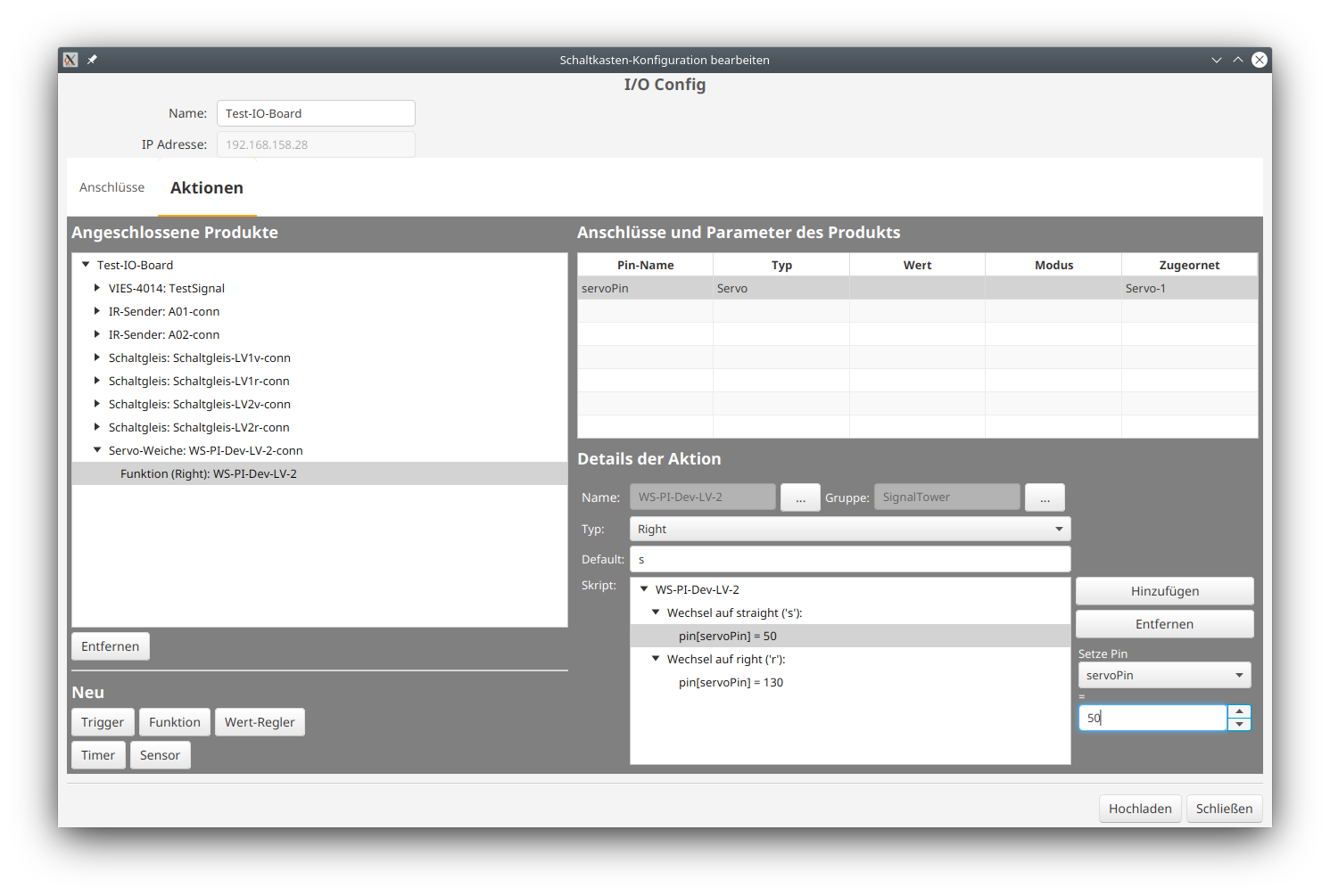
The servo turnout drive set up in this way does not differ in usage from a turnout with magnetic drive. I.e., it appears in the control panel just like other turnouts and can be placed in the track diagram in the same way.
Determining servo positions
If you need to determine the servo positions first, set up an additional value controller for your servo:
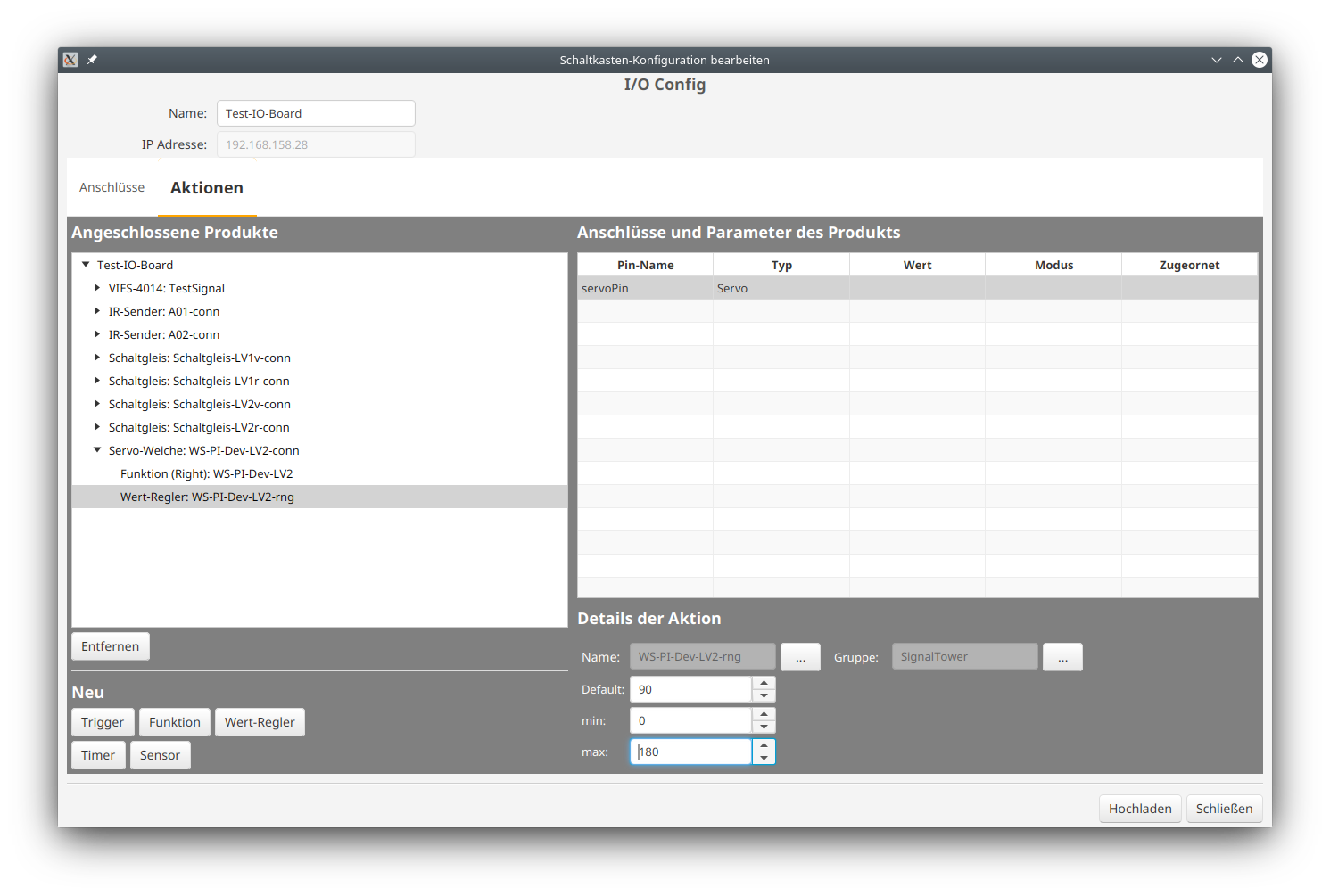
You will then have an additional value controller for your turnout. With its arrows, you can adjust your servo in 5-degree steps to find the optimal position:
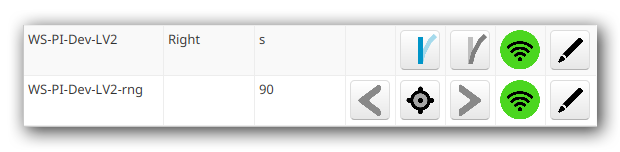
Once you have the correct values, you can remove the value controller from the config again.
Servos in general
For all other servo applications, you will find the entry "Servo" in the product catalog "universell-weichen.xml". There, you can choose whether to use it as a value controller or function.
In the control panel list, the servo as a value controller looks like this:

and as a switch (function) like this:
