From Firmware 20260105 (CTC-App 4.46) onwards, CTC-Loco-Modules can be temporarily (as a guest) connected to a WiFi network using a beacon.
This enables the following:
- If you need technical support, e.g. from your model railway dealer, they can temporarily connect your locomotive to their own WiFi and test it on their demonstration layout or rolling test bench, or check your configuration
- If you want to operate your locomotive on a foreign layout, e.g. at a model railway club, you can control the locomotive via the local WiFi network
Note: To enable the above-mentioned technical support, the normal configuration is always displayed when accessing the WiFi configuration, i.e. participants in the temporary WiFi can read and change the SSID and password of your private model railway WiFi. Anyone connecting their locomotive to a temporary WiFi should therefore have a certain level of trust in the other participants of that WiFi network.
Connecting a locomotive to a temporary WiFi network
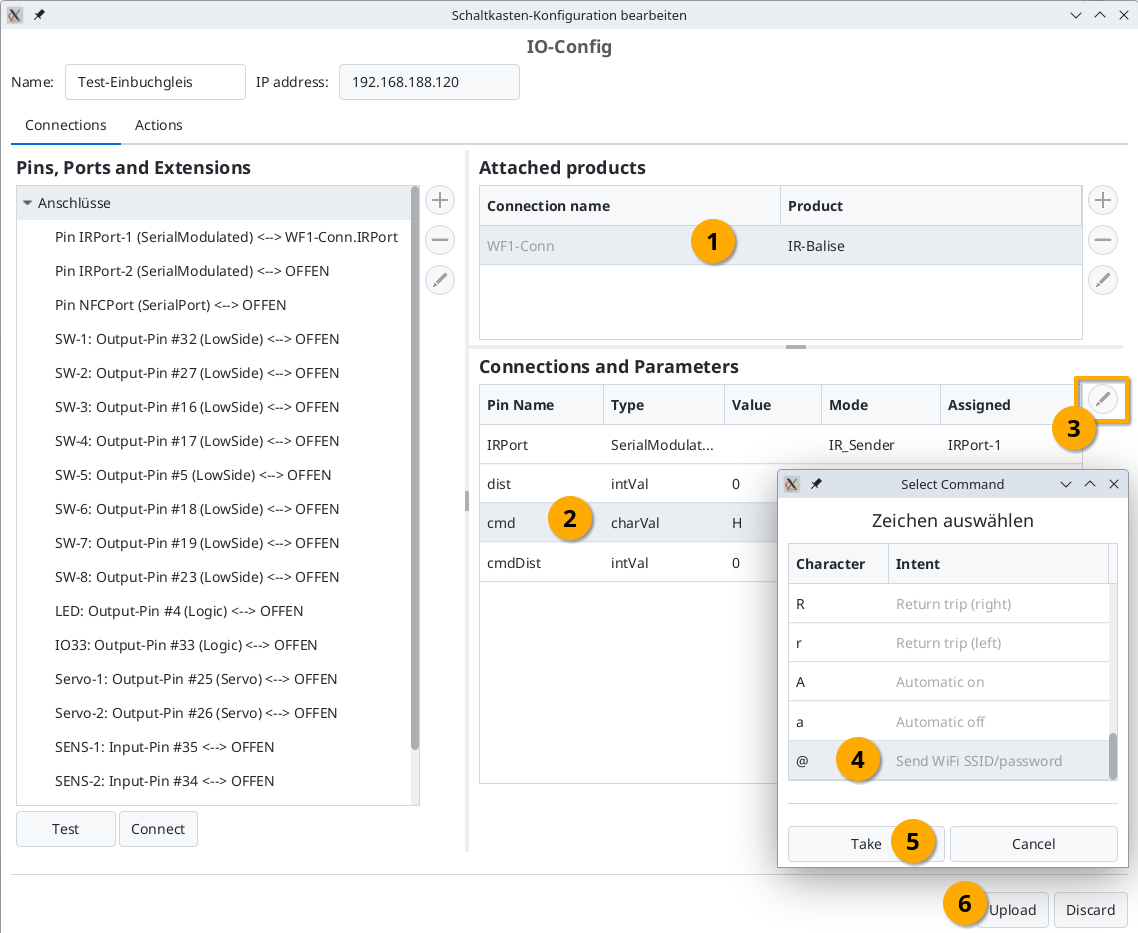
If the command (cmd) '@' (Send WiFi SSID/password) is set on a beacon, the beacon no longer sends the normal command telegram, but instead an XML file (netCfg.xml) containing the SSID and password of the CTC-Module to which the beacon is connected. If the receiving locomotive also has firmware from version 20260105 onwards, it will then connect to the (temporary) WiFi network received from the beacon.
The received WiFi data is stored in a temporary file (.netCfg.xml) on the Loco-Module, so that the locomotive will reconnect to the temporary WiFi network even after a restart.
Removing a temporary WiFi network
If the locomotive can no longer connect to the temporary WiFi network, it will be automatically removed.
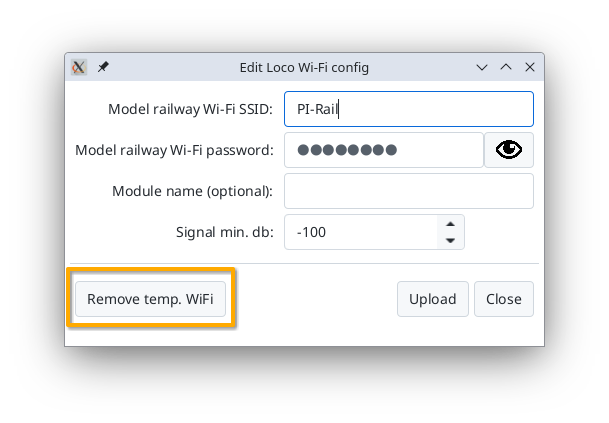
Alternatively, the temporary WiFi network can also be explicitly removed via a button in the "Change WiFi Config" dialog:
Configuring the beacon for WiFi
To enable a beacon to transmit WiFi data instead of a normal command, you need to set the parameter "cmd" of the beacon to the value '@'. To do this, open the config dialog of the CTC-Module to which the beacon is connected and proceed as follows: