





As described in Chapter 3.1 "Registering Modules", CTC modules start their router (Config-WiFi)
- if they do not yet have a configuration for a model railway WiFi
- if they have unsuccessfully tried to reach their model railway WiFi for one minute (after another two minutes, the module restarts)
CTC modules with active "Config-WiFi"
From firmware 20260113 onwards, full access to CTC modules is also possible when their "Config-WiFi" is active. The module then appears as usual in the CTC app as soon as you connect to the CTC module's WiFi.
Updating firmware with WiFi issues
From CTC app 4.49 (PC only), you can use the menu "Settings / Flash Firmware" after entering the IP address to display a config dialog for a CTC module that no longer connects to WiFi. This is especially important for CTC modules with firmware 20250806 to 20260113 to replace the firmware with a version without WiFi issues. However, older CTC modules should also be updatable this way.
- Start the CTC app on your PC and wait until the CTC module has activated its "Config-WiFi".
- Then connect to the CTC module's WiFi using your operating system's built-in tools.
- Next, open the menu item "Settings / Flash Firmware" and enter the IP address of the CTC module. In the case of the Config-WiFi, this is always the suggested 192.168.4.1
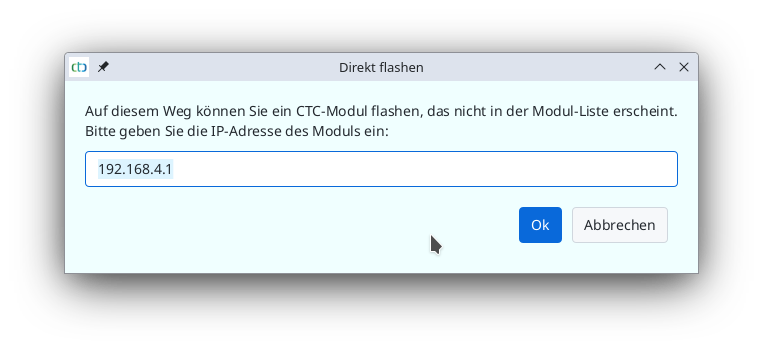
A config dialog for the module will then be displayed. If it is a CTC module that has registered correctly, the config dialog of the locomotive or switch box appears, otherwise that of an unknown module:
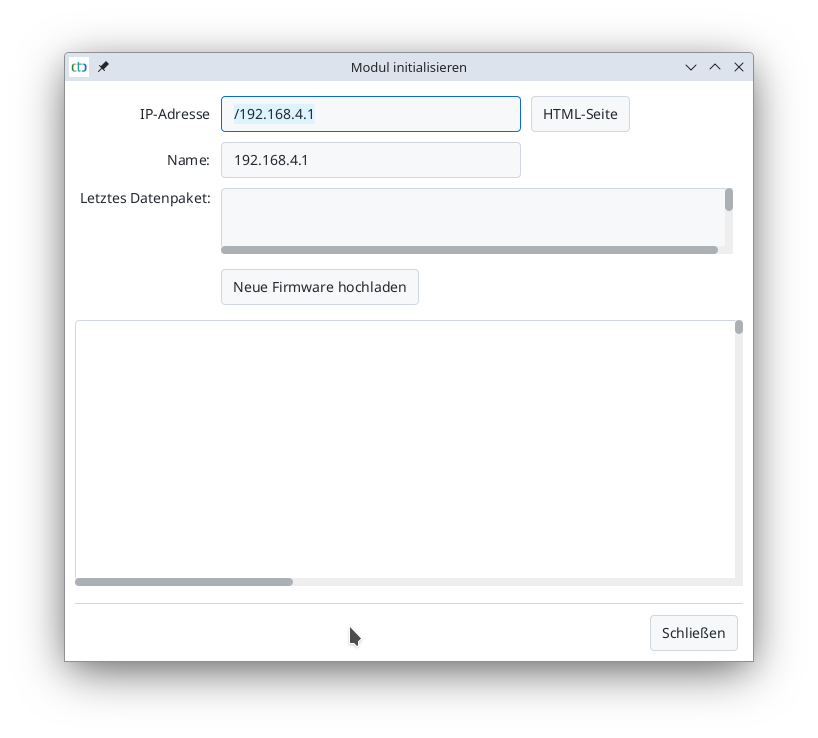
By clicking the "HTML Page" button, you can access the module's HTML page and possibly check again whether it is the desired module.
Now you can press the "Upload New Firmware" button. However, when selecting the firmware, you must make sure to choose the correct one. The CTC app cannot check which firmware is appropriate in this state.
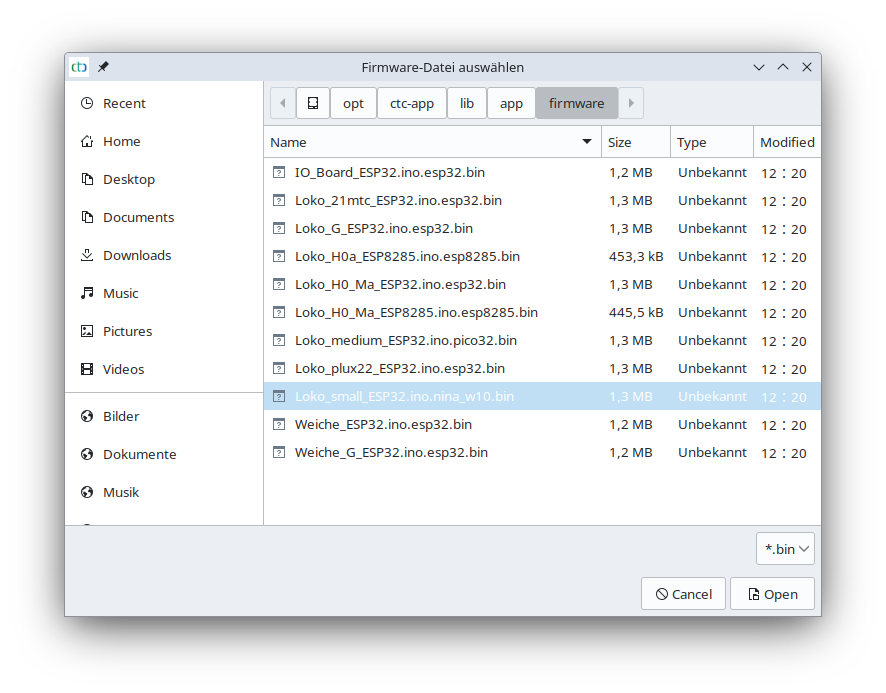
Here is the assignment of CTC modules to their firmware files:
| CTC Module | Firmware |
| CTC-Turnout-Module-Multi-IO | IO_Board_ESP32.ino.esp32.bin |
| CTC-Loco-Module-21mtc (old, without SUSI) | Loko_21mtc_ESP32.ino.esp32.bin |
| CTC-Loco-Module-G, CTC-Loco-Module-G2 | Loko_G_ESP32.ino.esp32.bin |
| CTC-Loco-Module_H0a | Loko_H0_Ma_ESP8285.esp8285.bin |
| CTC-Loco-Module_H0a (manually replaced firmware) | Loko_H0a_ESP8285.esp8285.bin |
| CTC-Loco-Module-H0d | Loko_H0_Ma_ESP32.ino.esp32.bin |
| CTC-Loco-Module-M3 (all variants) | Loko_medium_ESP32.ino.pico32.bin |
| CTC-Loco-Module-PluX22 (old, without SUSI) | Loko_plux22_ESP32.ino.esp32.bin |
| CTC-Loco-Module-S3 (all variants) | Loko_small_ESP32.ino.nina_w10.bin |
| CTC-Turnout-Module (Märklin form) | IO_Board_ESP32.ino.esp32.bin |
| CTC-Turnout-Module-G, CTC-Turnout-Module-G2 | Weiche_G_ESP32.ino.esp32.bin |