





In contrast to classic digital systems, with CTC the locomotive always controls itself. The CTC app only specifies target values for the speed.
For every locomotive with an ID reader, there is already some automation even during manual control:
- If the driver exceeds the permitted maximum speed, the locomotive reduces its speed automatically.
- If the driver ignores a red signal, the locomotive performs an emergency brake.
Since the locomotive itself cannot see, speed limits and signal states must be communicated to the locomotive using balises. Anyone who has already dealt with the European ETCS train control system will notice striking similarities to CTC.
In addition to these simple train protection measures, it is also possible to activate an autopilot.
The autopilot has the following operating modes: Travel at a specified maximum speed while observing speed limits and signals. Travel according to schedule
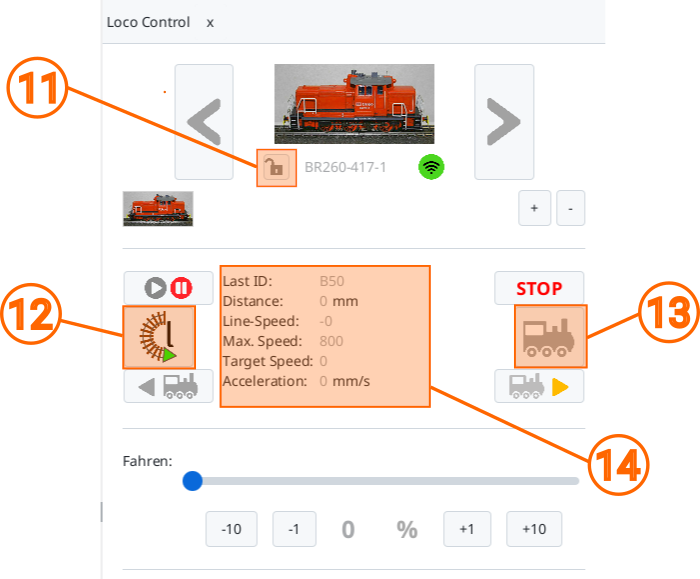
Before driving with the autopilot, the locomotive should know its orientation on the track. If the symbol on the button (12) shows an "r" (clockwise) or "l" (counterclockwise), the locomotive knows its orientation.
By clicking on button (12), you can set or change the orientation.
Note: If the locomotive has passed two balises of the same block, it knows its orientation. The button then displays this.
Travel at a specified maximum speed
This operating mode is activated by manually setting the desired maximum speed on the locomotive and then activating the autopilot (13). After that, the locomotive continues to drive independently until the autopilot is deactivated again.
The locomotive never drives faster than the speed set when the autopilot was activated:
- If the locomotive receives a speed limit via a balise, it reduces its speed. If the speed limit is lifted again, the locomotive accelerates to the set maximum speed.
- If the locomotive receives a red signal via a balise, it stops automatically in front of the signal. If the signal changes back to green, the locomotive automatically resumes driving.
- If the locomotive receives a stop via a balise, it stops for the time communicated by the balise. After that, the locomotive continues driving.
- If the locomotive receives a reversal point via a balise, it stops for the time communicated by the balise. After that, the locomotive continues driving in the opposite direction.
Travel according to schedule
Travel according to schedule is activated by activating the autopilot (13) while the locomotive is stationary. Then a schedule is started that begins in the block where the locomotive is currently located. The CTC app then sends the schedule to the locomotive, which begins to execute the schedule.
A schedule consists of a chronological sequence of balises that the locomotive must pass. A command can be assigned to each balise, which the locomotive executes as long as it does not conflict with the command sent by the balise. This means that even in this operating mode, speed limits and signal states sent by balises are taken into account.
Locomotive states (11)
The state (11) of the locomotive control is displayed in the line below the locomotive symbol. The following states can be assumed by the locomotive:
| Symbol | Name | Meaning |

|
Idle | The locomotive is stationary and ready for manual control. |

|
Manual | The locomotive is being controlled manually by you. |

|
Other | The locomotive is being controlled manually by another person or another CTC app. |
|
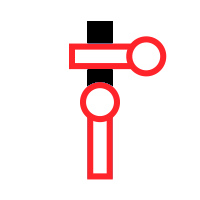
Stop | The locomotive has detected a red signal and is still braking or has already stopped in front of it. The locomotive will continue driving as soon as the signal clears. |
|
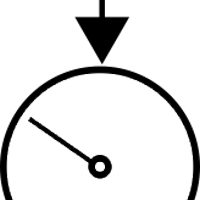
Limit | The locomotive has detected a speed limit and is reducing its speed if necessary. |

|
Stationary | The locomotive is braking to stop at a station. |

|
Reversal | The locomotive is braking to stop at a reversing station. It will then continue driving in the opposite direction. |
|
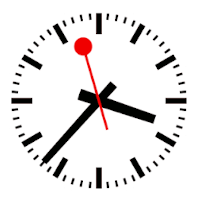
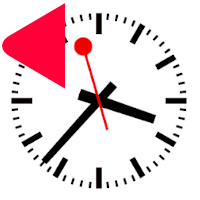
Pause | The locomotive has stopped at a station with "Stationary" and will continue driving after the stop time has elapsed. |
|
Pause-Reversal | The locomotive has stopped at a reversing station with "Reversal" and will continue driving after the stop time has elapsed. |
|
Continue | The locomotive continues driving after "Stationary" or "Reversal". Once it has finished accelerating, it switches to "Autopilot". |

|
Autopilot |