





A typical train job (Fahrauftrag) is the trip from one station to another. In the following example, the train job was set from block B4 via B3 and BA to A3. The reserved turnouts are colored orange and the reserved blocks are colored yellow (block and beacon IDs were manually painted into the track diagram):
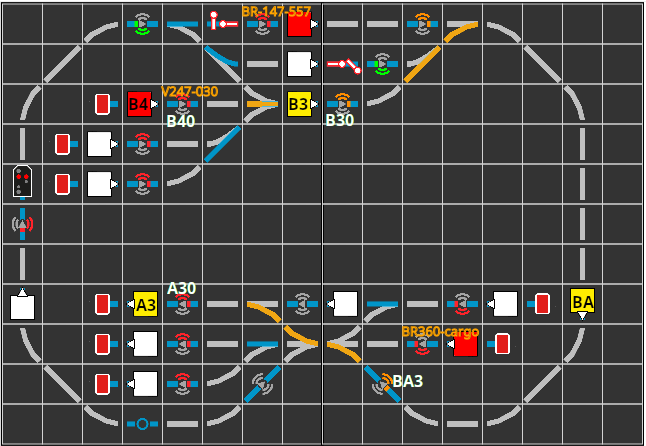
Now the locomotive V247-030, which is in block B4, can be set to the correct direction and dispatched by clicking the automatic button.
In our example, only a sequence of routes was defined, but no beacons in the job. This works well if all beacons on the route provide suitable information. In our case:
- beacon BA3 was set to command M;70 (minimum speed at 70 cm) by the route from BA to A4.
- beacon A30 constantly displays command H;0 (stop immediately).
- the buffer stop at the end of A3 is assigned (clockwise) as the right exit signal to block A3. This prevents the locomotive from departing again after reaching block A3.
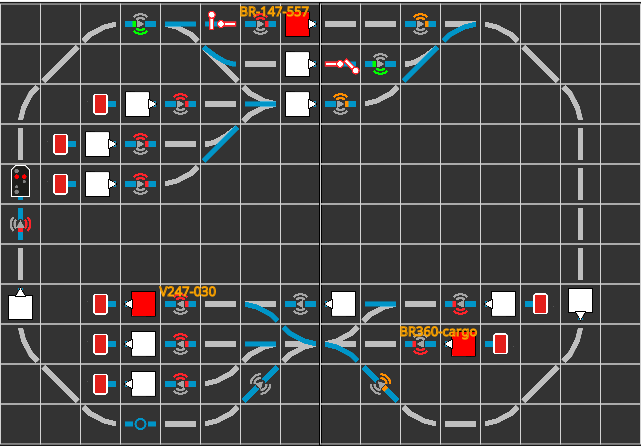
Upon arrival of V247-030 in block A3, all reservations are released again. The track diagram then looks like this:
Setting up a train job
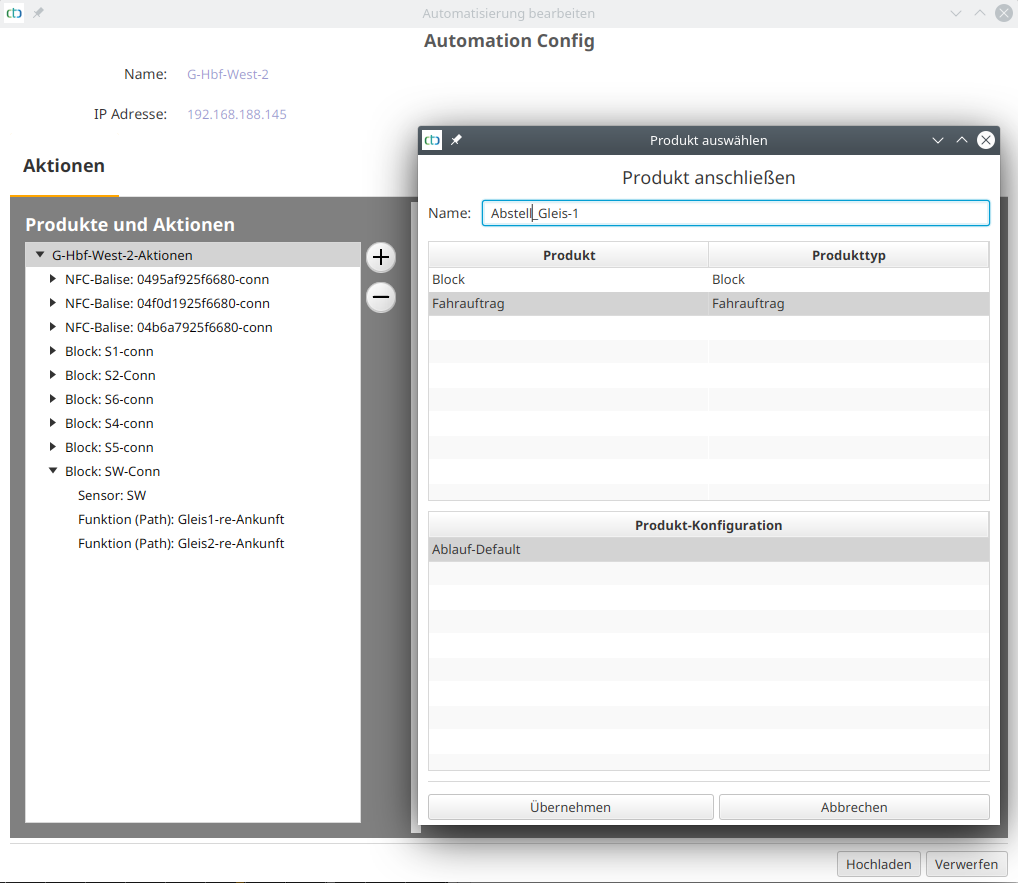
To set up a train job, we open the "Automation Config", select the top entry under "Products and Actions". Then we click the plus button next to it:
Train job with beacon commands
The following image shows the script of a train job that also lists the beacons to be passed:
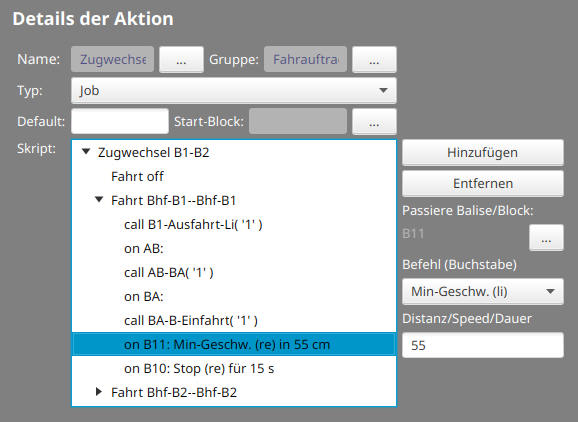
When passing beacon B11, the locomotive will slow down to reach minimum speed after 70 cm. At B10 it will then come to a complete stop for 15 seconds, even if the exit signal clears the route.