Using the Z21 LAN protocol , the CTC app can control locos and operate turnouts connected to a digital control unit.
The digital locos and turnouts must be configured once and can then be controlled like normal CTC modules via the CTC app. The configuration is stored in any CTC-Turnout-Module or CTC-Multi-IO-Board.
The digital control unit must naturally support the Z21 LAN protocol and be accessible via LAN or WiFi from the CTC app .
The prerequisite for this function is CTC app version 4.05.
Configure Z21 loco
To store the configuration of the digital loco to be controlled via the Z21 LAN protocol, we select any CTC-Turnout-Module or CTC-Multi-IO-Board.
To do this, we open the config dialog of the CTC module:
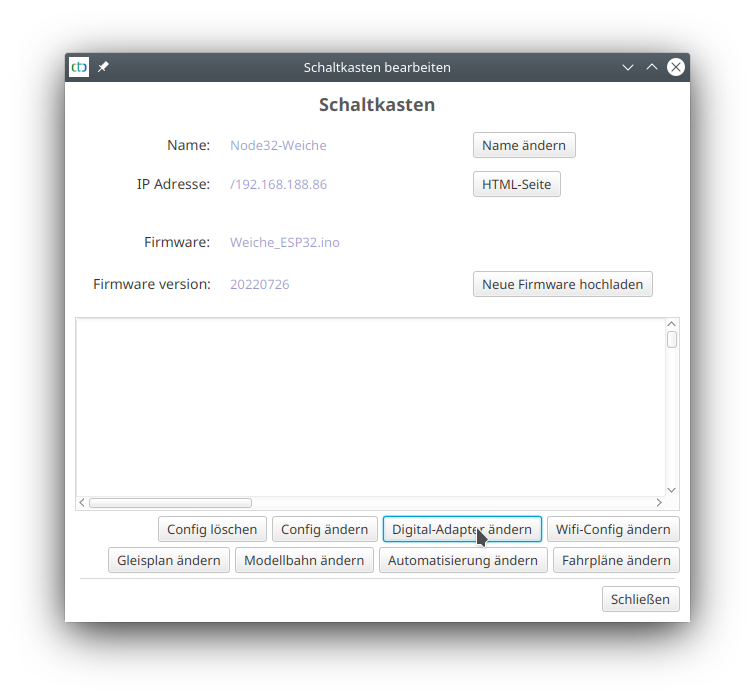
There, we click on "Change digital adapter". A dialog opens:
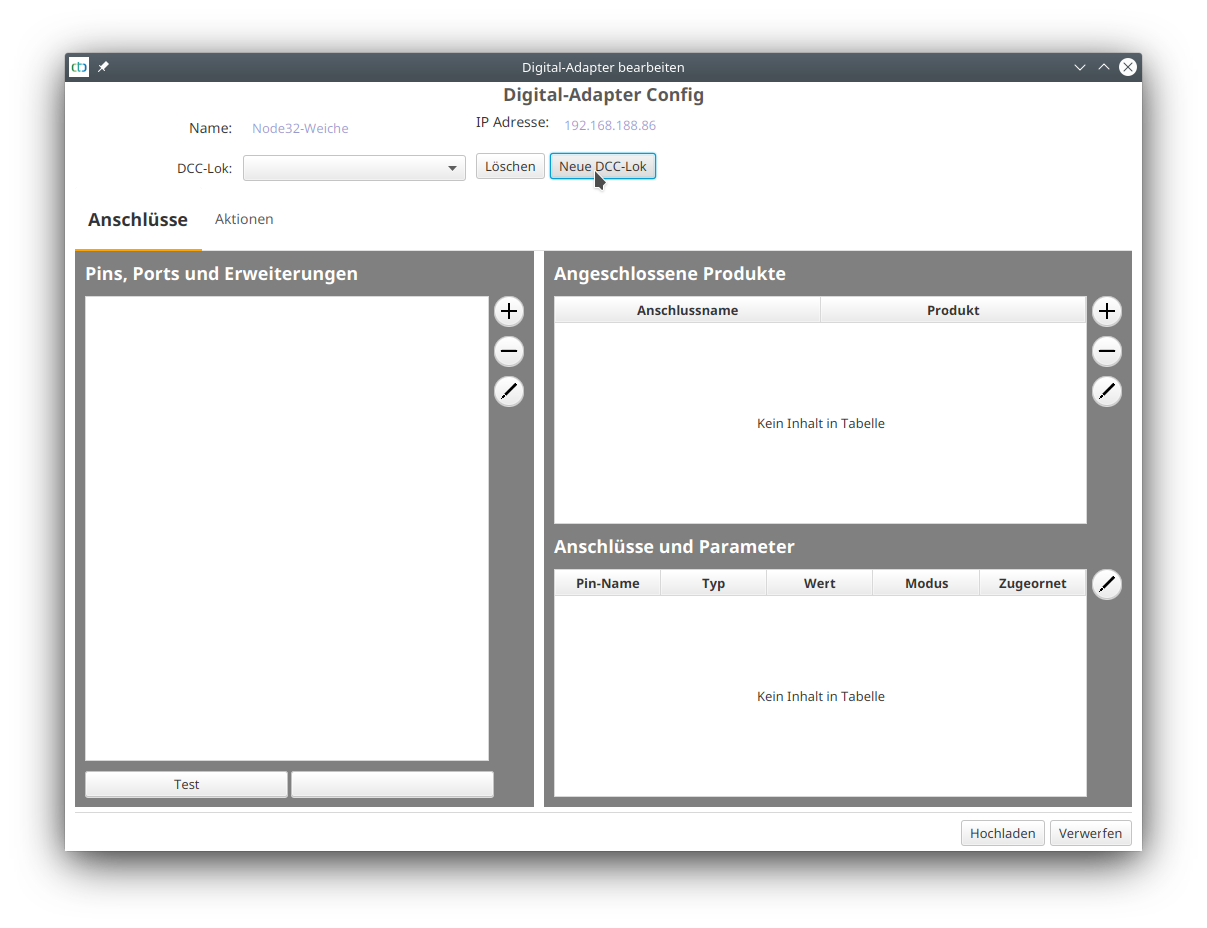
We click on "New DCC loco" and enter the name under which the loco will later appear. I chose the prefix "Z21_" to distinguish Z21-controlled locos from real CTC locos.
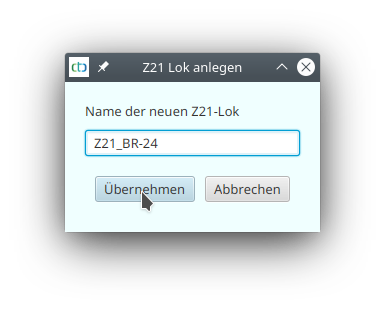
Then we click "Apply". Under "Pins, Ports and Extensions", the line "Connections" appears. We mark this and click the plus button next to it.
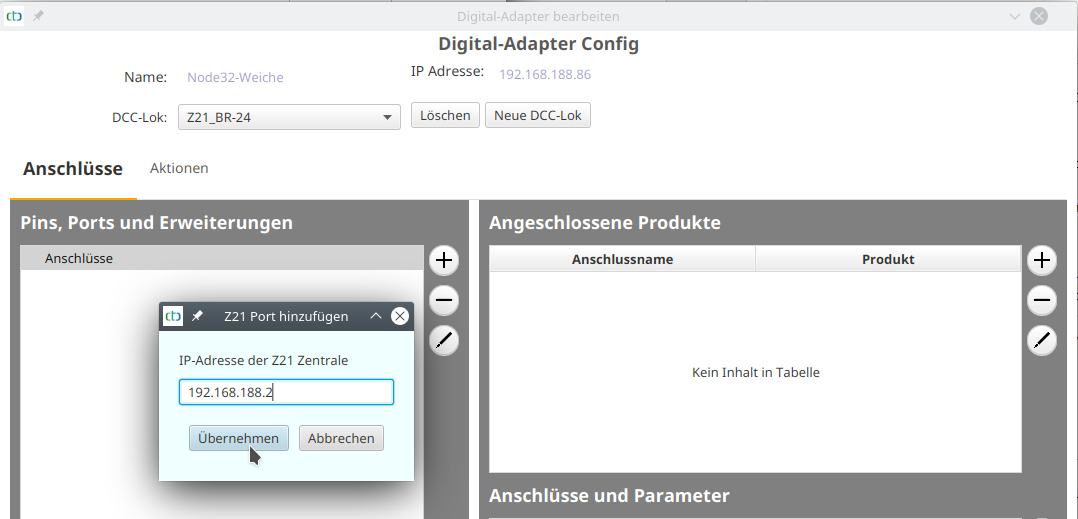
In the dialog that opens, we enter the IP address of the Z21 control unit:
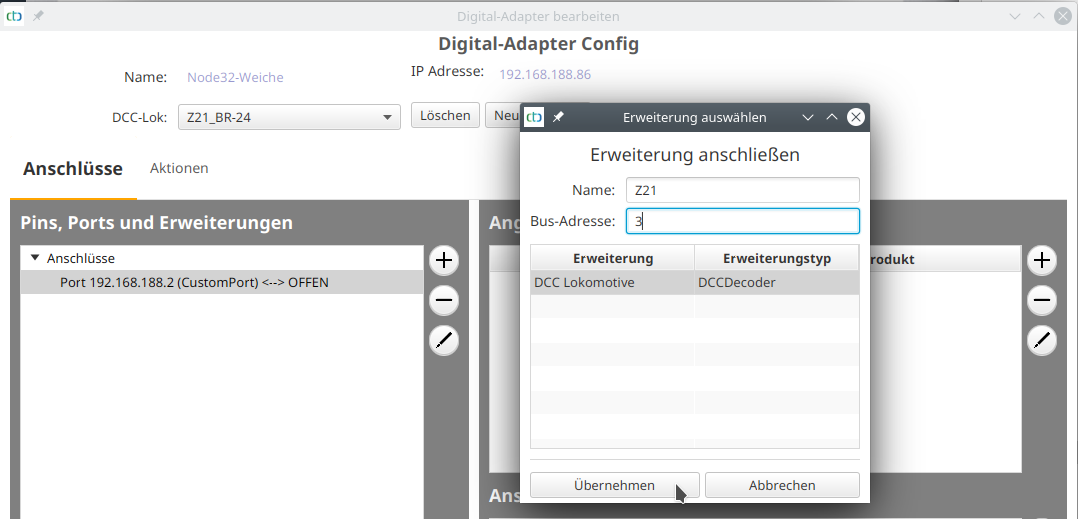
Then we select the newly created port with the IP address and click the plus button again. We choose the extension configuration "dcc.xml". In the dialog that opens, we enter any name – we only see this in this configuration. Behind Bus address, we enter the DCC address of our loco – in the example, this is the DCC default "3".
In the list, we select "DCC locomotive":
Then we click "Apply". The loco has been created and motor and headlight are fully configured:
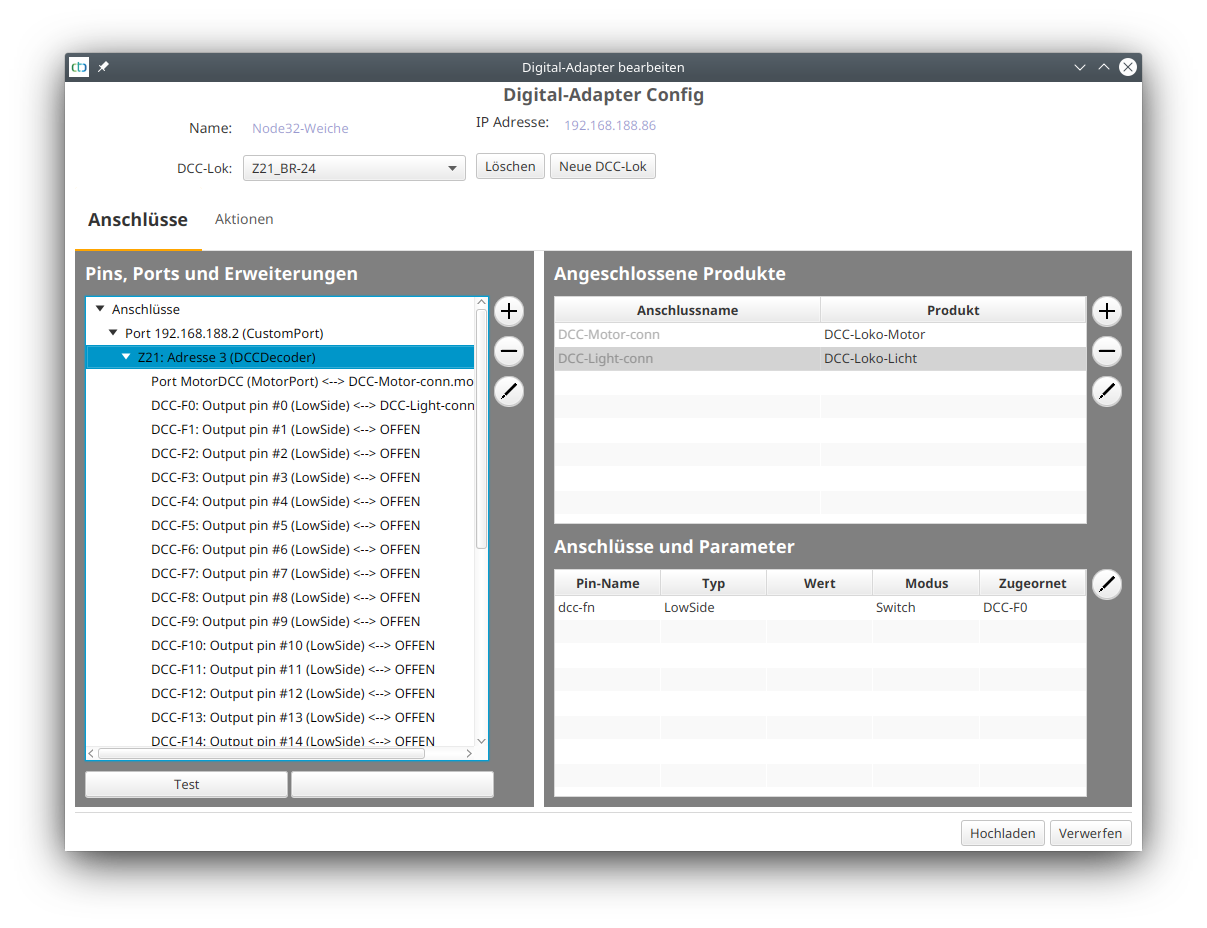
Now additional functions, e.g. sound, can be configured. This is done exactly the same way as for a DCC decoder connected to a CTC-Loco-Module, see Chapter 4.6 "Config - Connect DCC decoder" .
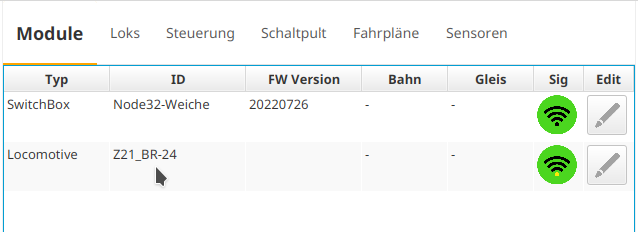
After saving, the digital loco appears in the list of CTC modules: