





Over the menu item "Z21 Zentrale Starten" in the PC version of the CTC-App, the emulation of a Z21 central unit can be activated. The CTC-App then responds to commands received via the Z21 WiFi protocol and forwards them to CTC modules.
Notes:
- As of CTC-App version 4.05, it is possible to control the speed and functions of a loco.
- As of CTC-App version 4.06, turnouts can also be operated.
- We tested with Rocos WLAN-Maus , Rocos Z21 Android App and LoDi-Con from Lokstoredigital .
Setting loco address
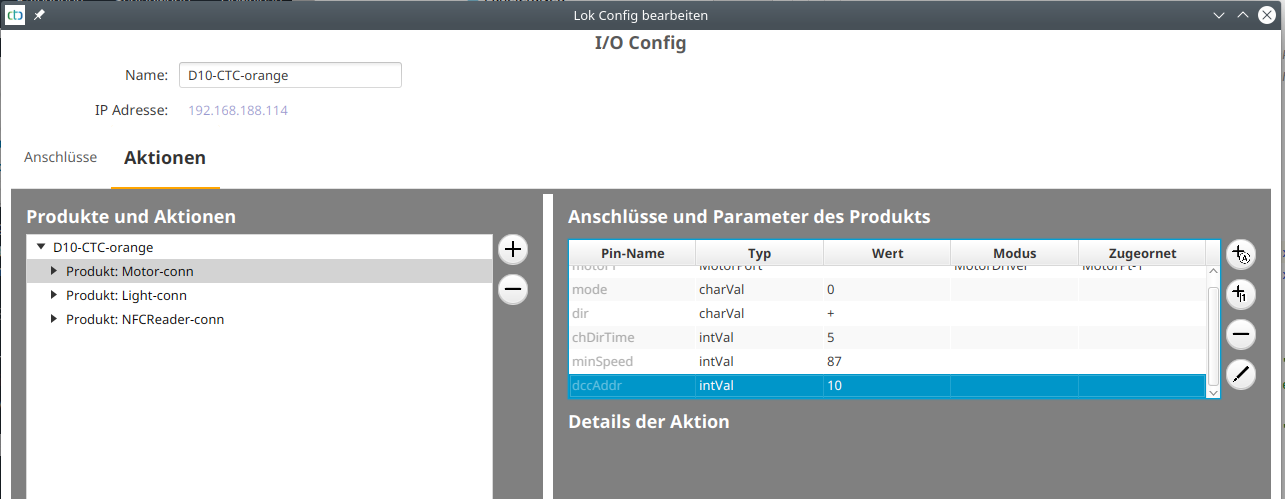
The loco address is set by opening the loco's config and adding the parameter "dccAddr" to the main motor:
Assigning loco functions
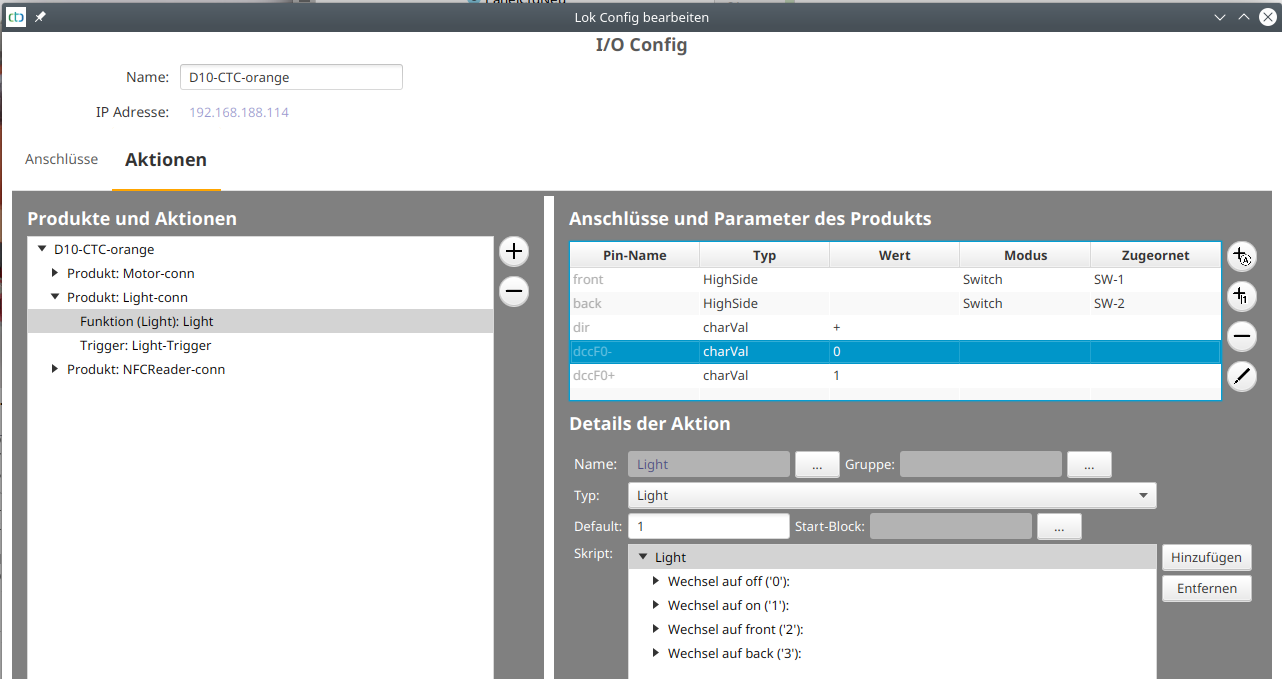
To assign loco functions to DCC function numbers, go to the loco's config as well. There, select the function to be linked to a DCC function and add the parameters "dccFx+" and "dccFx-", where "x" stands for the function number. Then set the value of the StateScript to be called when "function on" in "dccFx+" and the value of the StateScript to be called when "function off" in "dccFx-".
In the example, DCC F0 was assigned to the function "Light" and it was defined that this should call script "1" (on) when "on" and script "0" (off) when "off":
Driving loco
Once the Z21 central unit is started and the throttle is configured to the IP address of the CTC-App, all CTC locos with a "dccAddr" can be controlled.
The DCC address is displayed in the "Nr." column under "Loks" as of CTC-App version 4.06.
Note: The loco can only be controlled if it has been set for manual control in the CTC-App.
Setting turnout address
The turnout address is set by opening the turnout's config and adding the parameter "dccAddr" to the function:
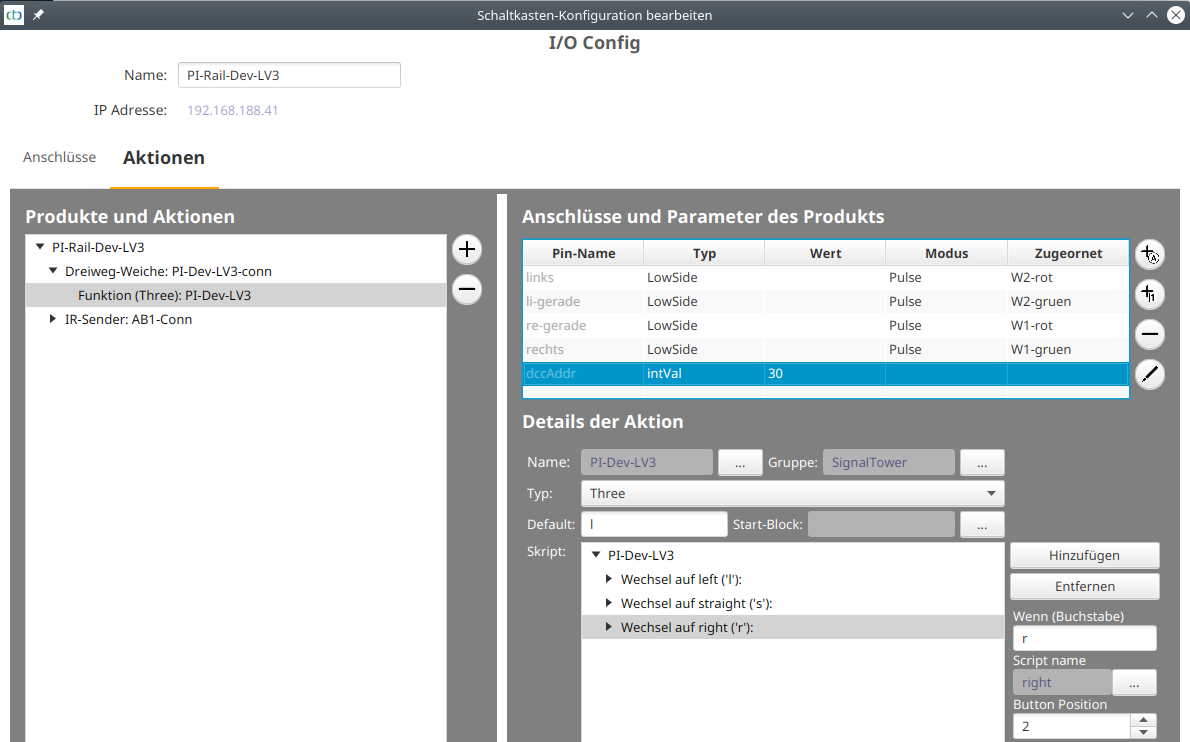
The scripts of the function are assigned in the order specified under "Button Position":
- 0 for dccAddr "off"
- 1 for dccAddr "on"
- All others for the "on" state of the addresses following dccAddr. In the screenshot above, address 31 "on" corresponds to the script at position 2 ("right").