The BR 53 is our first conversion of an analog Märklin locomotive using our own adapter for PluX22.
Note: This conversion is based on the corrected IO-Config and product catalog included in the CTC-App from version 4.30 onwards.
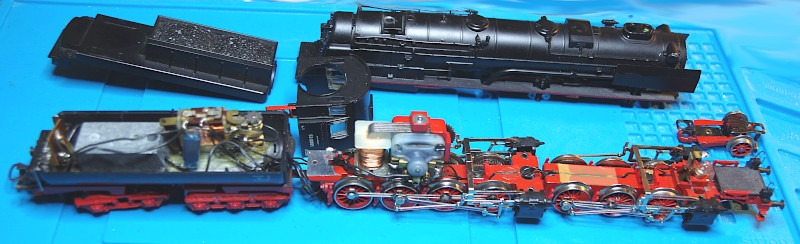
The locomotive body is opened by pulling off the cover directly in front of the cab. Beneath it is the first of three screws. The other two are located under the leading axle. Once all three screws are removed, the boiler and cab can be detached.
Inside the tender are switches and the rear light. To open the tender, we remove the screw located at the bottom between the tender’s bogies. After that, the upper part of the tender can be lifted off.
For this conversion, we use the "Adapter board PluX22" and the "Analog conversion kit" . The wiring diagram then looks like this:
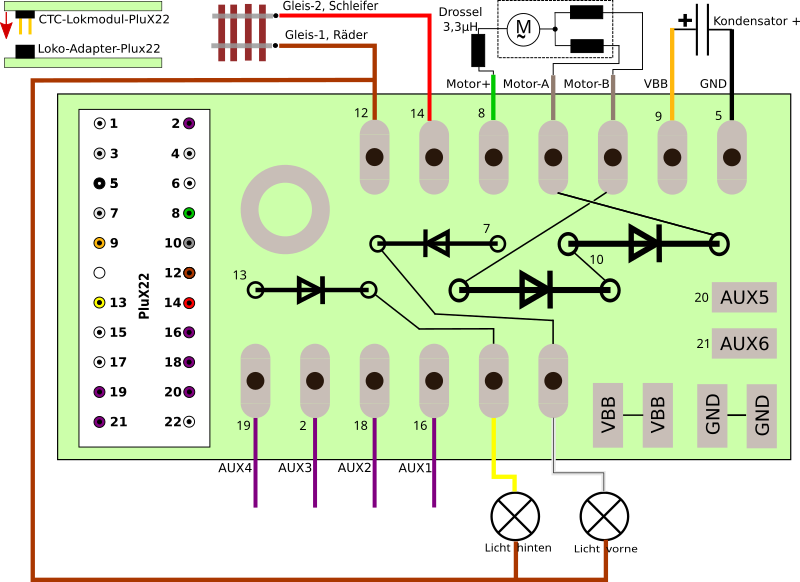
We need all the diodes supplied with the analog conversion kit. They are inserted into the adapter board and then soldered. It is essential to pay attention to the position of the marking ring (see image).
On the side of the motor that is not connected to the field coil, we attach the choke.
A third hand holds the adapter board while we solder the cables from the track and to the motor: In our example, the original cables were in very poor condition, so we replaced them with new ones:
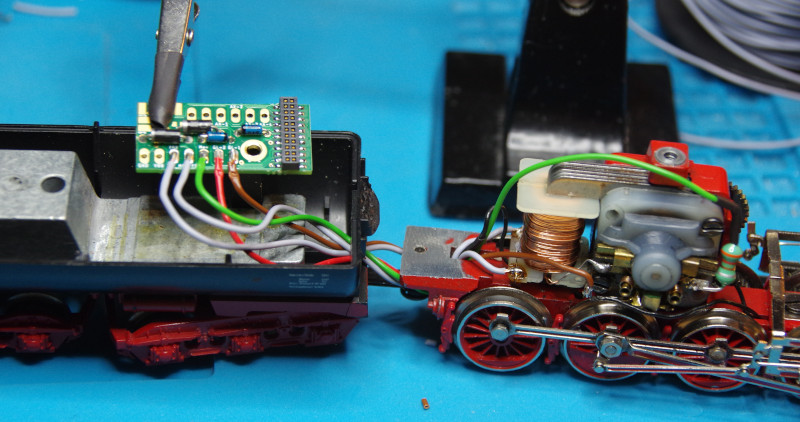
The cables are:
- Center conductor red
- Chassis/wheels brown
- Field coil left/right gray
- Choke on motor green
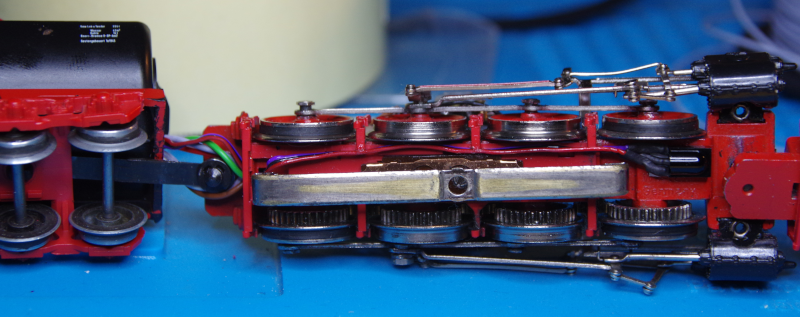
For the IR receiver, we place it in front of the wiper. This allows us to route the cable from the electronics in the tender through the existing hole at the end of the locomotive chassis:
Next, we solder the cables for the two lights (front white, rear yellow) to the adapter board:
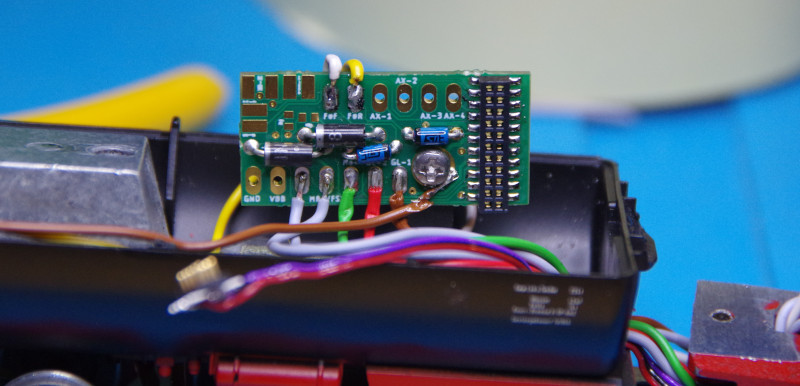
Unfortunately, the front light and smoke generator are connected to the same cable and metal contact. Therefore, we forgo the smoke function and insulate the contact with insulating tape:
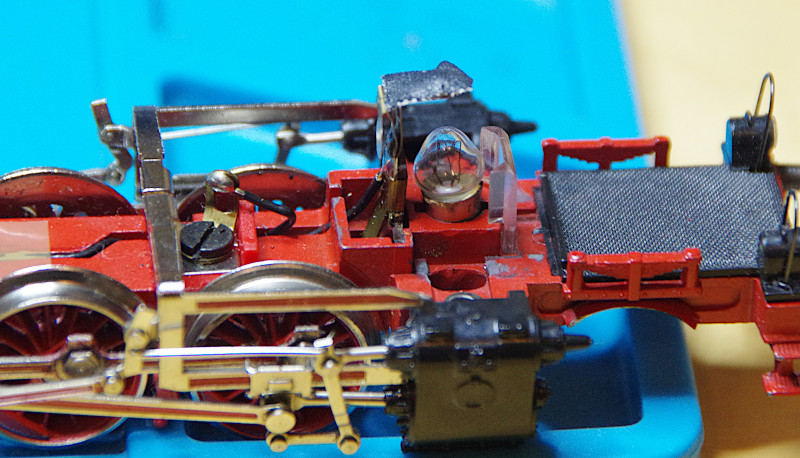
Alternatively, we could consider separating the lamp and smoke generator connections and then connect the smoke generator to AUX1 using a newly routed cable and diode.
Finally, the buffer capacitor is soldered (plus orange, minus black):
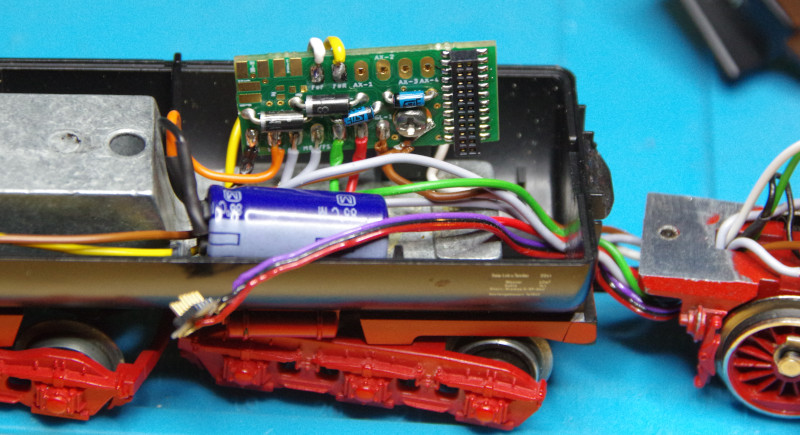
Now the CTC-Loco-Module-PluX22 can be plugged onto the adapter, and the IR receiver can be plugged onto the loco module:
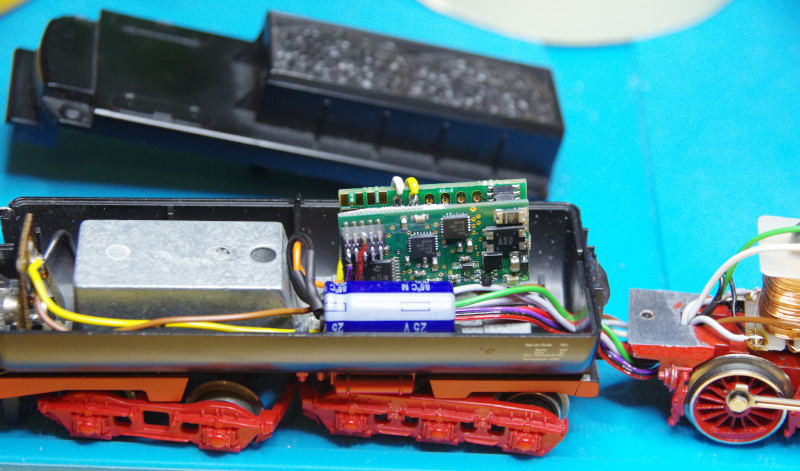
Before reassembling the locomotive, we place it on a roller test stand. There, we configure the loco module and test whether everything works.
Replace IO-Config
If you have a CTC-Loco-Module-PluX22 that was delivered before 27.06.2025, you must replace the IO-Config of the loco module for this conversion. You can also do this if the loco module is already installed.
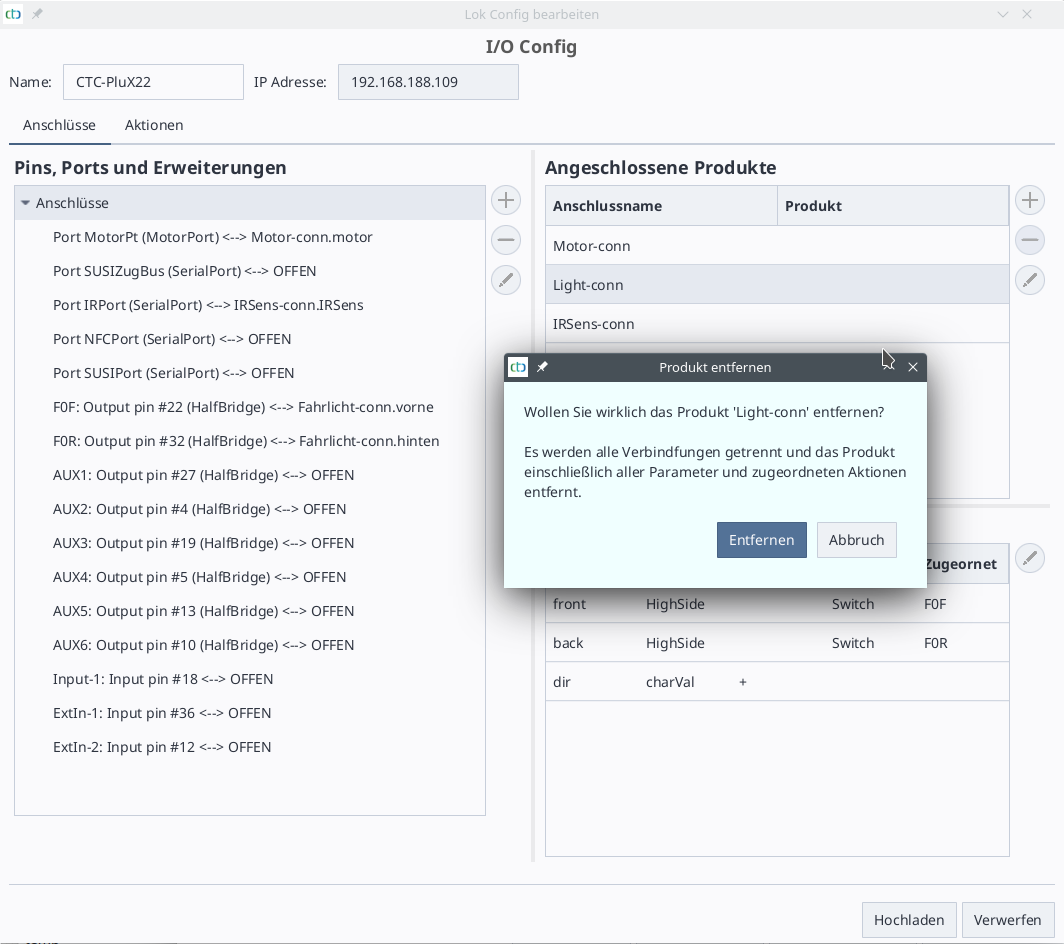
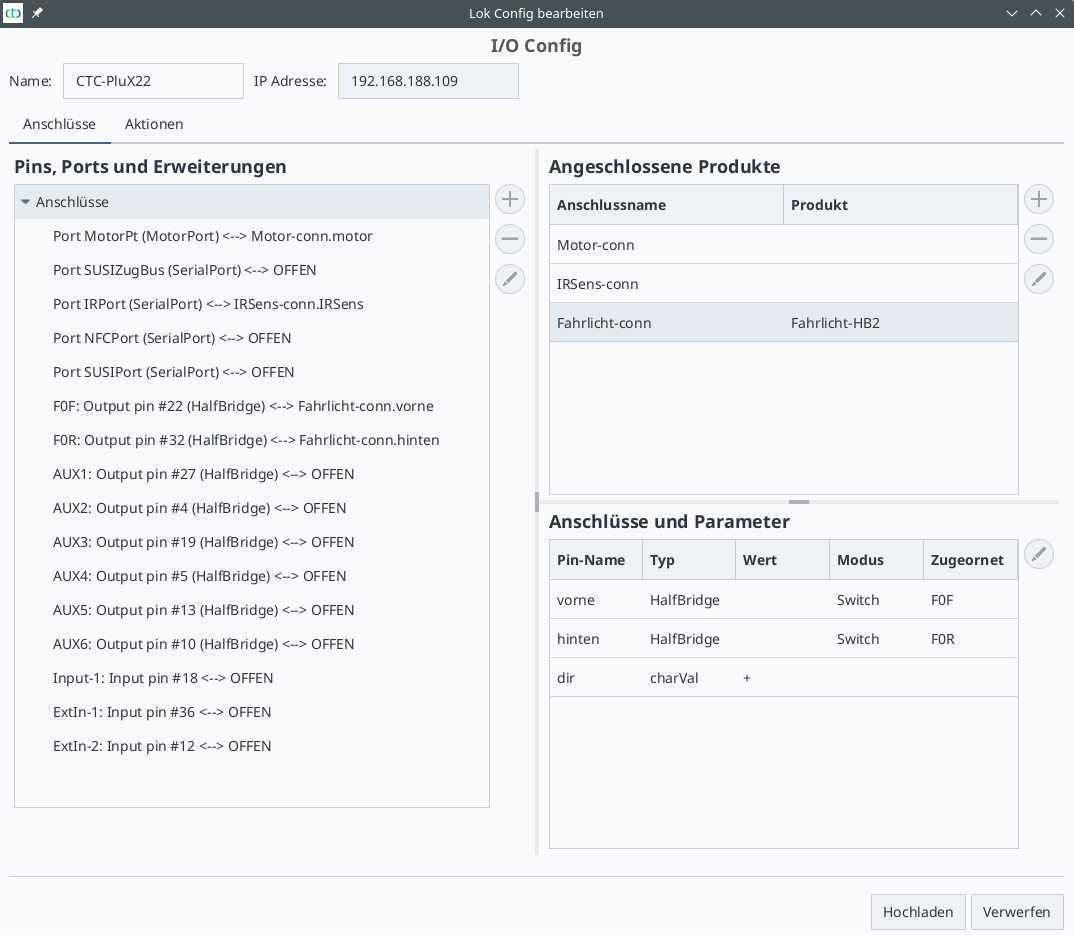
The reason is that we have previously configured the switch outputs as LowSide (and only used them that way). For the conversion of the analog locomotive, we now need the ability of the HalfBridge to switch against plus (HighSide).
You can recognize the old IO-Config by the fact that in the "Change config" dialog, "LowSide" instead of "HalfBridge" appears in parentheses after the switch outputs (e.g., F0F and F0R).
To replace the IO-Config, open the config dialog of the locomotive and click the "Replace IO-Config" button. The following dialog opens:
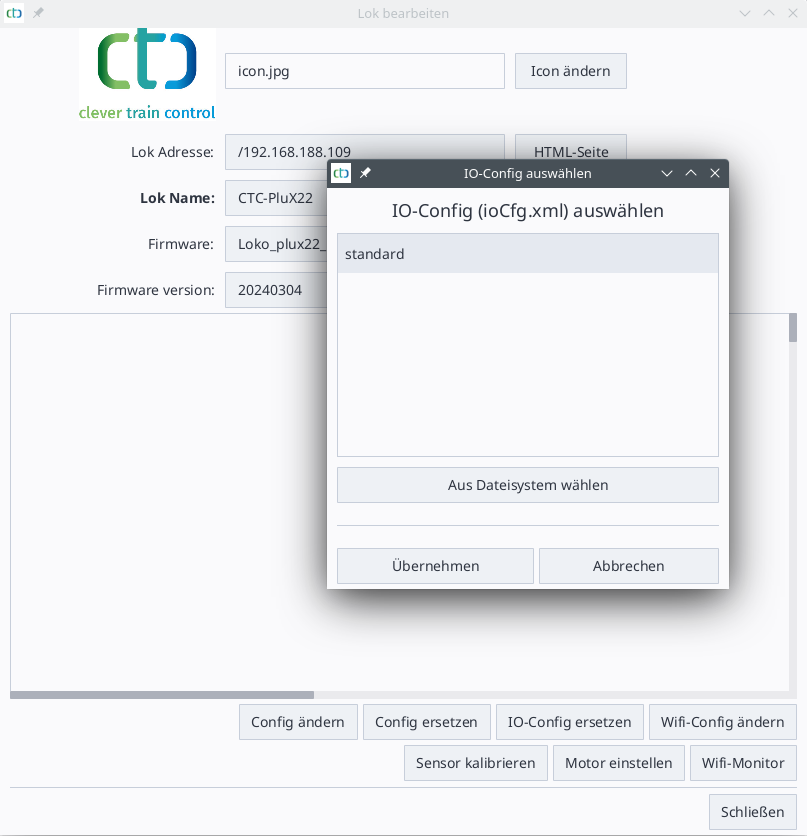
There, select the configuration "standard" and click "Apply".
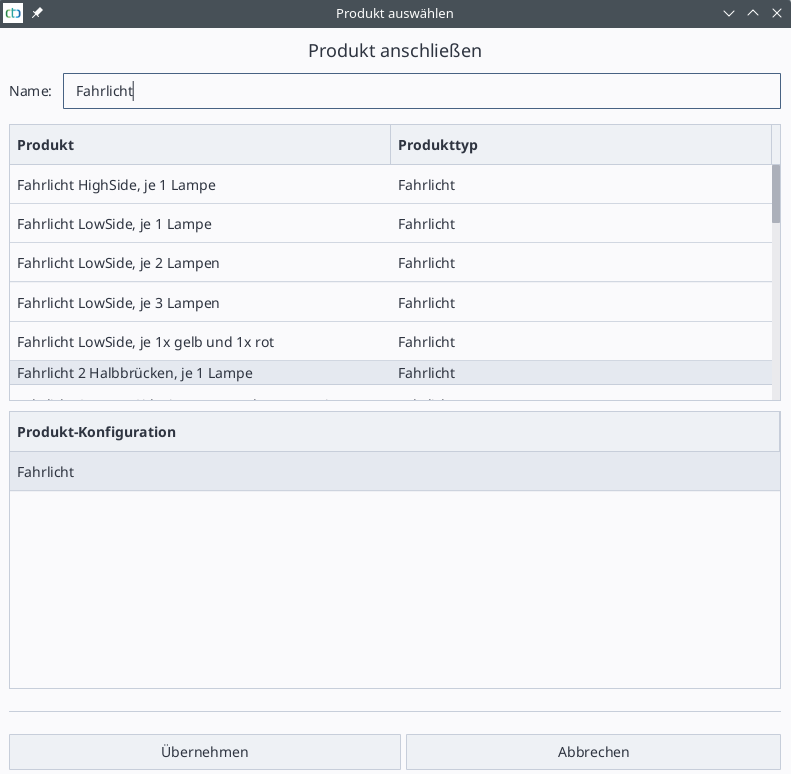
Light configuration