





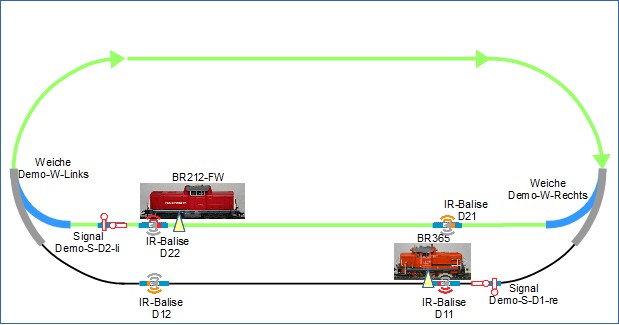
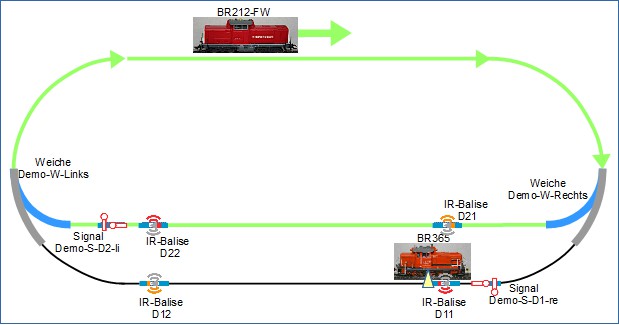
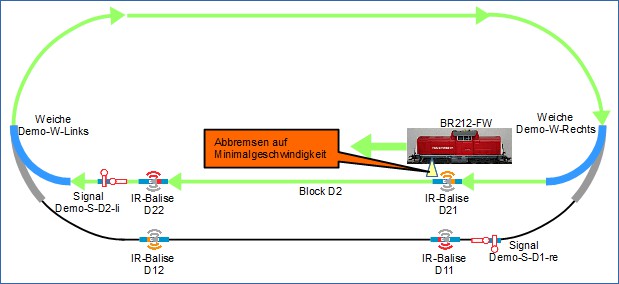
When automating train operations with a locomotive , a static configuration was used. \nIn the scenario described now, it’s different. This results in changes to the configurations. \nAutomated train operation works as follows: The train with locomotive BR212-FW is stationed at the station in block D2. Signal Demo-S-D2-li switches to "Proceed". BR212-FW departs, begins to travel clockwise. Signal Demo-S-D2-li switches to "Stop". BR212-FW completes one lap clockwise and enters the station block D2, slows down and comes to a stop. The turnouts switch so that BR365 can travel one lap. Signal Demo-S-D2-li switches to "Proceed". BR365 departs, begins to travel counterclockwise . Signal Demo-S-D1-re switches to "Stop". BR365 completes one lap counterclockwise and enters the station block D1, slows down and comes to a stop. The turnouts switch so that BR212-FW can travel one lap clockwise. Signal Demo-S-D2-li switches to "Proceed".
This operation repeats.
For locomotive BR212-FW, the scenario is very similar to Automating train operations with a locomotive, variant 2 .
Locomotive BR212-FW stops at the station track, signal Demo-S-D2-li switches to "Proceed", BR212-FW departs, begins to travel clockwise, signal Demo-S-D2-li switches to "Stop", BR212-FW completes one lap clockwise and enters the station, slows down and comes to a stop:
Now it’s BR365’s turn: The turnouts are switched so that BR365 can travel one lap counterclockwise:
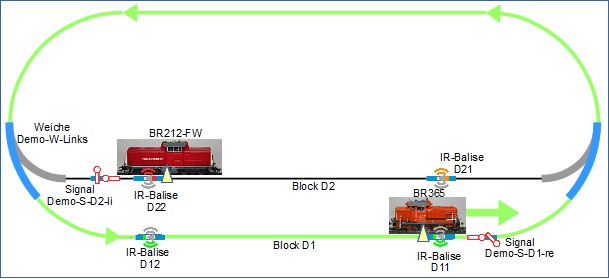
BR365 departs, begins to travel counterclockwise, signal Demo-S-D2-li switches to "Stop":
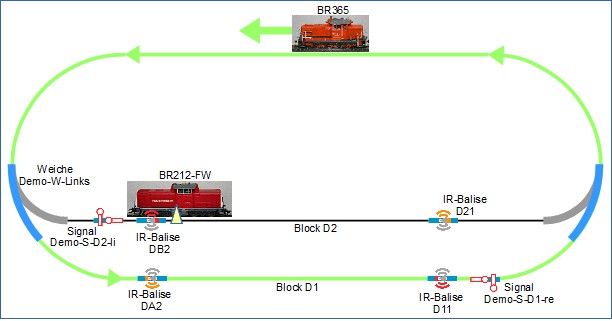
BR365 enters the station, slows down:
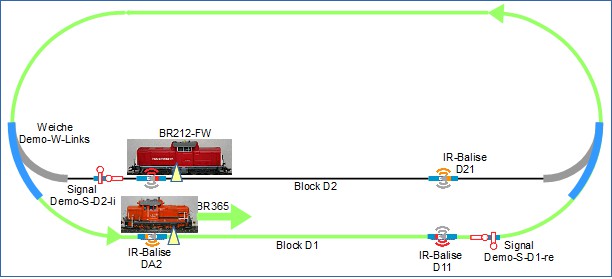
Locomotive BR365 comes to a stop at balise D11.
These required pieces of information and commands are configured.
Further description to follow shortly.