





A trigger can be linked to another action and thus respond to a state change of that action.
Apart from the following examples, you will find a steadily growing number of instructions in "Appendix B: Examples" . A very detailed step-by-step guide is available in the separate document "CTC-Starter-Sets" .
Linking an IR beacon (IR transmitter) with a signal
The simplest way to create a link is by using the trigger of an IR beacon. It is already created when you select the IR beacon from the product catalog "universal-sensors.xml". You only need to specify which signal it should respond to and enter the distance to the signal.
Select the trigger of the IR beacon (here AB3-trigger):
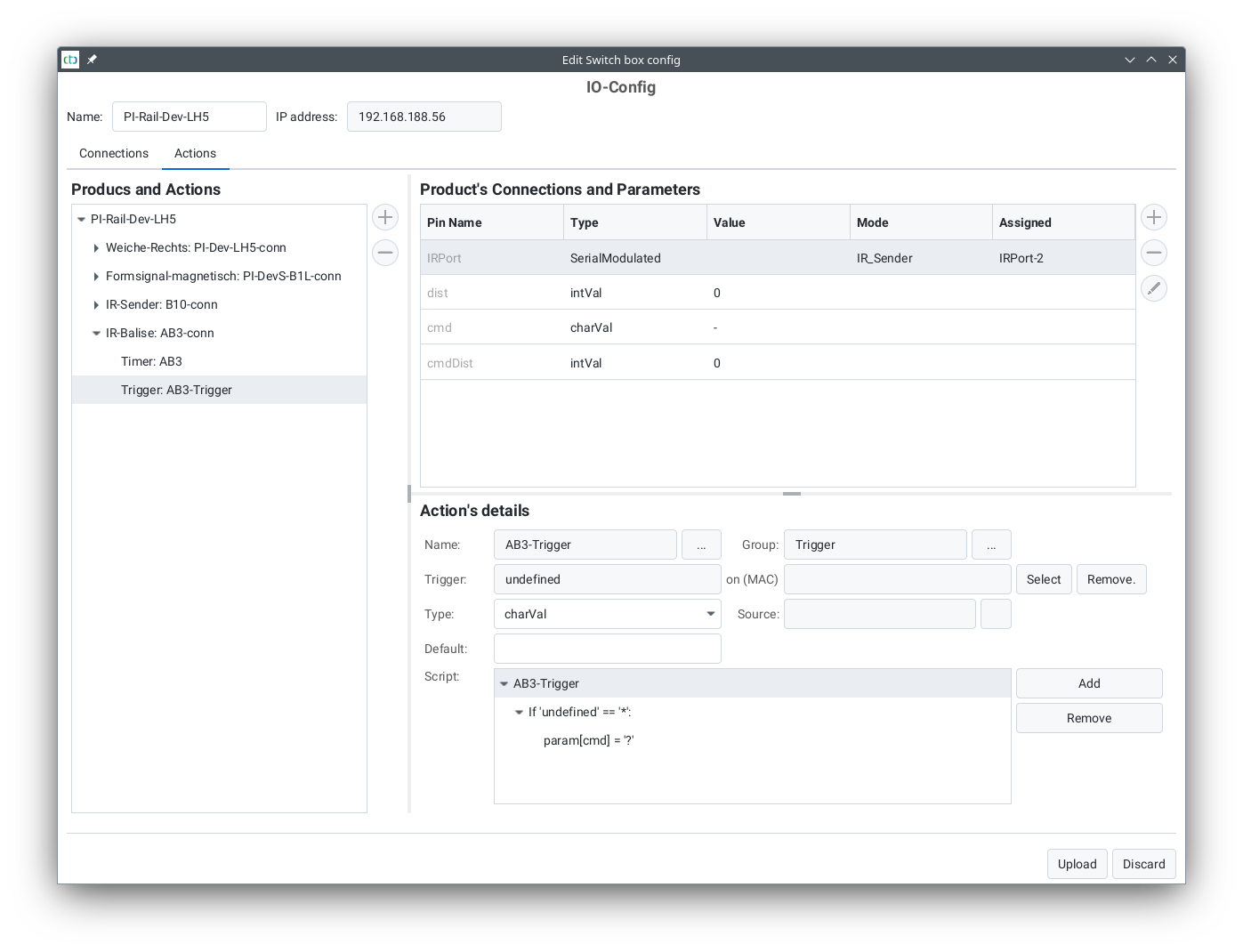
Then click "Select" to the right of the trigger. This opens the following dialog:
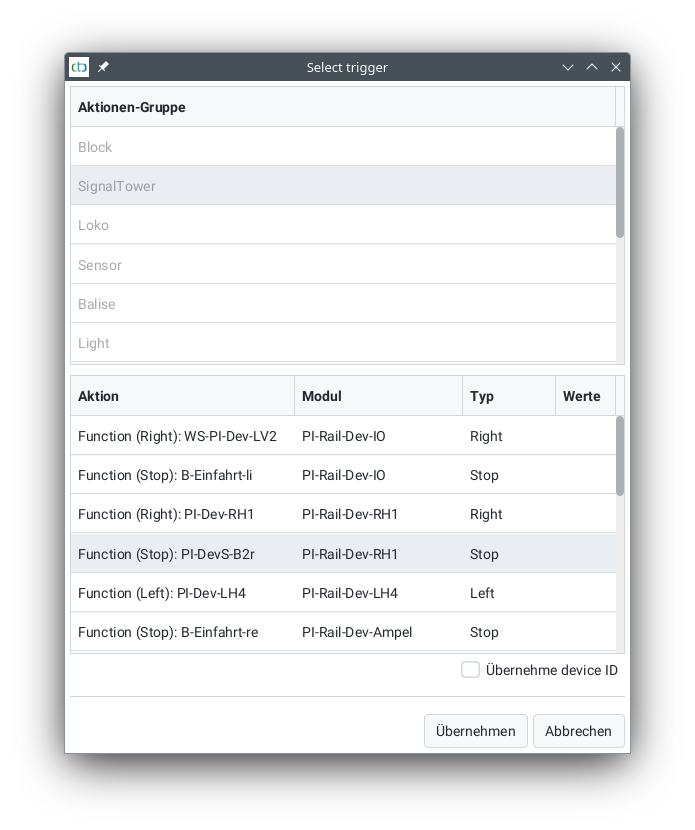
Select the signal (or sign) to be linked (usually in the "SignalTower" group) and click "Apply".
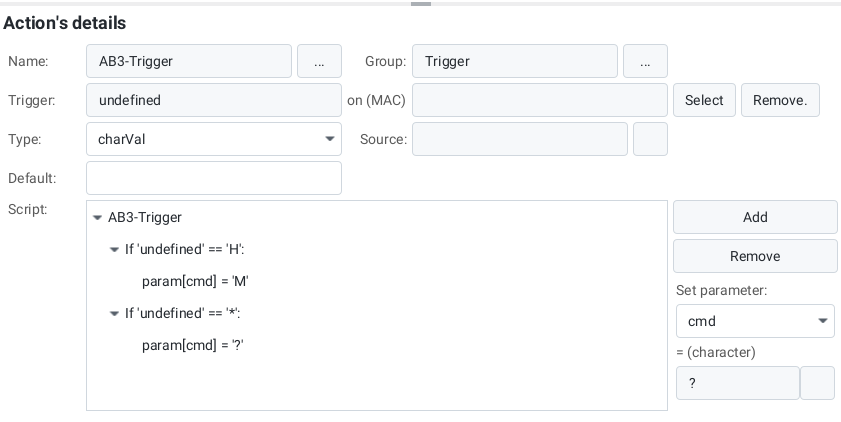
The name of the selected signal now appears in the "Trigger" field. Asterisk should be displayed in the "on (MAC)" field.
In the simplest case, leave the pre-made script unchanged. It takes the distance (cmdDist) from the parameters and the signal's value as the command.
In the following example, for the signal state 'H' (Stop), the command 'M' is sent. In all other cases ('42'), the signal state is adopted as the command ('?').
Linking an NFC beacon with actions
To link an NFC beacon with actions, a beacon must first be created. Since an NFC beacon is not connected to a CTC module, the beacon is stored in the track plan. You can learn how to do this in the chapter "Beacons (ID transmitters) in the track plan" .
Once the beacon is created, the already existing trigger for the NFC beacon can be edited via the "Edit automation" button, similar to the IR beacon:
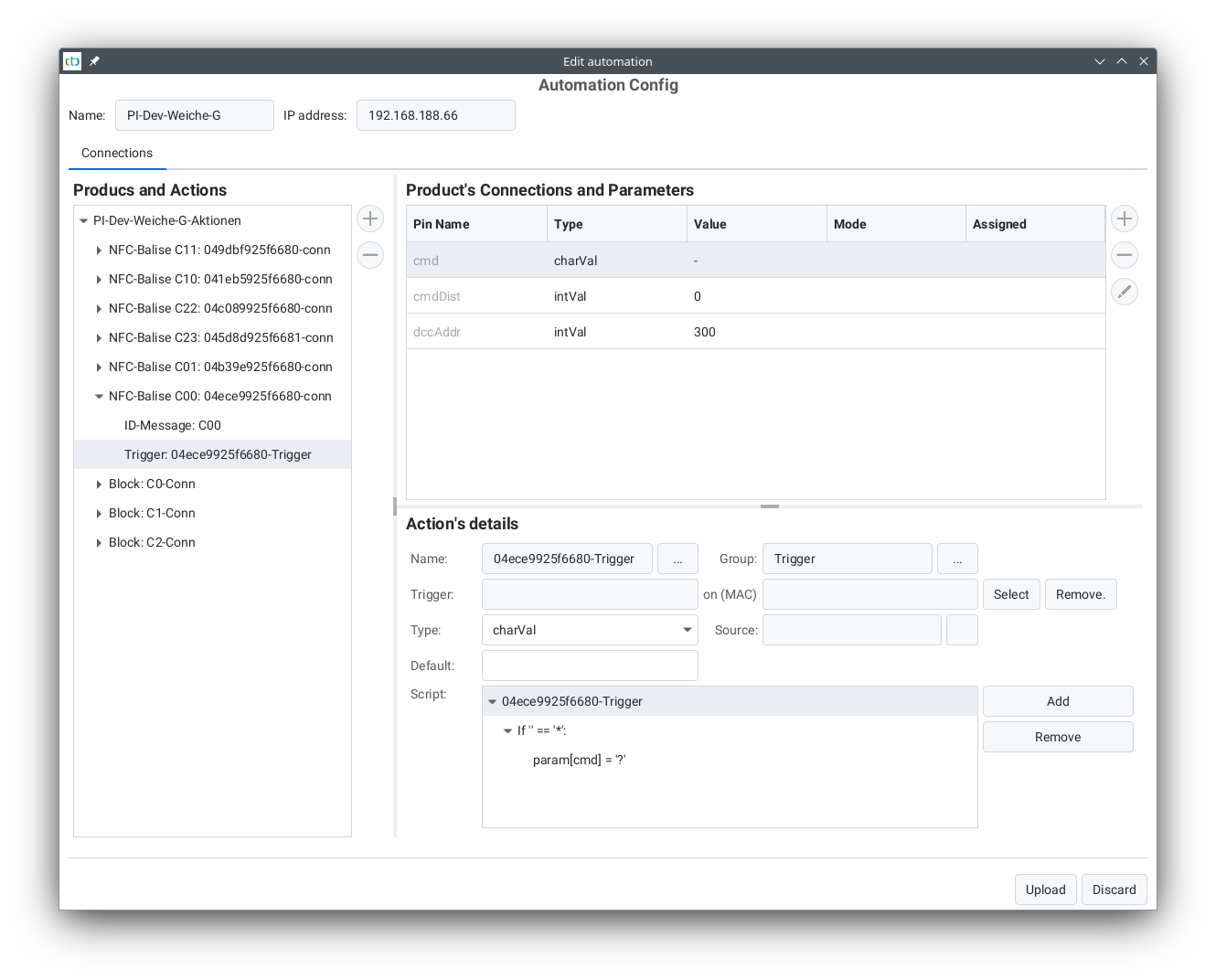
Then click "Select" to the right of the trigger. This opens the following dialog:
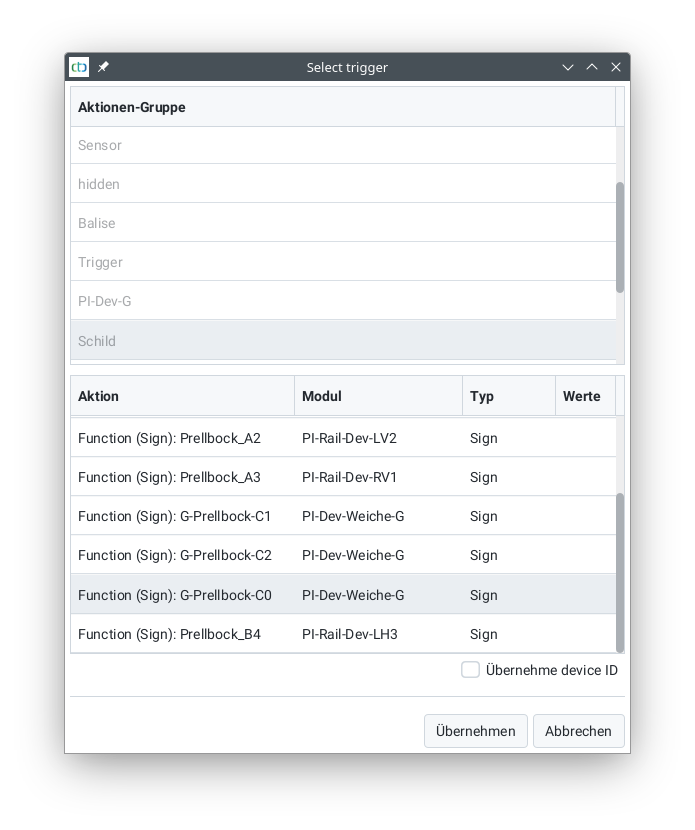
Select the signal or sign to be linked (here a sign) and click "Apply".
The name of the selected sign now appears in the "Trigger" field. Asterisk should be displayed in the "on (MAC)" field.
In the simplest case, leave the pre-made script unchanged. It takes the distance (cmdDist) from the parameters and the sign's value as the command.
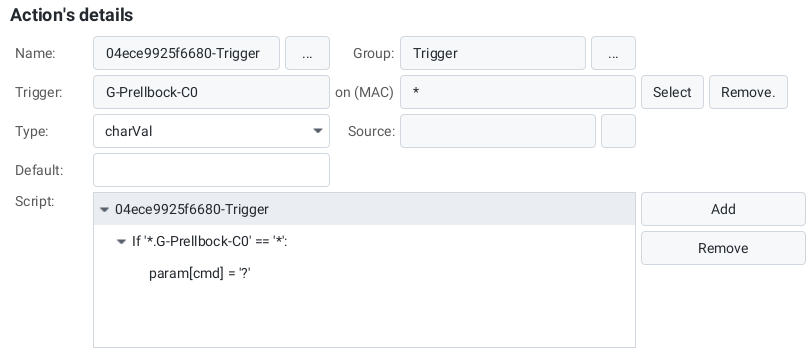
Note: If the trigger for a trigger is located on the same CTC module as the trigger itself, the CTC module handles the execution of the trigger directly. Otherwise, the CTC app takes care of triggering the corresponding trigger.
A separate chapter is dedicated to editing scripts .