





Note: This described functionality requires CTC-App version 4.00 and corresponding loco firmware as a prerequisite.
Blocks (Track Sections)
Blocks (track sections) are identified in CTC by two letters/digits, e.g. "B1". Uppercase and lowercase letters are considered different. The first two characters of the ID of our beacons are understood as the name of the block in which the beacon is located.
Even if you have not configured a block, a suitable block exists for each beacon, namely the one derived from the first two letters of its ID. However, to make a block visible in the track diagram, you must create it. And if you want to set up routes, you must also create blocks beforehand.
Direction (Clockwise)
Beacons in the same block are numbered in ascending order clockwise at the third position of their ID, e.g. "AB1", "AB2", "AB3" for the three beacons in block "AB". This numbering allows the loco to determine the direction (clockwise) it is traveling.
When placing beacons and blocks in the track diagram, ensure that the small arrow in the symbol points in the clockwise direction.
Naming Rules
For position IDs, you may only use digits (0 to 9) and letters (A to Z and a to z), no special characters or umlauts. The name of a block must be exactly two characters long. There are no other special rules for naming blocks.
On my layouts (here the test layout), I proceed as follows (block and beacon IDs were painted by hand into the track diagram):
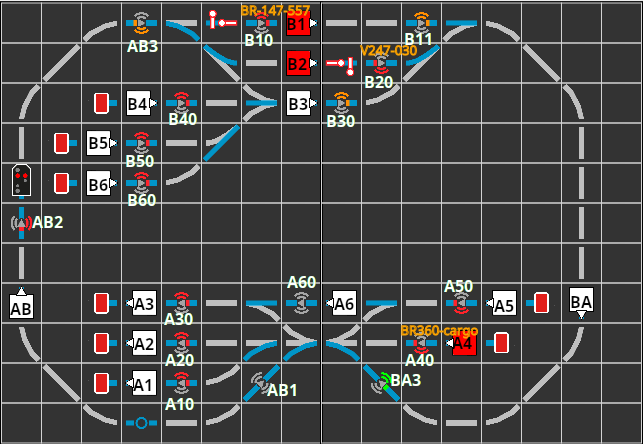
- I start by naming my stations with a single letter, e.g. "A" and "B".
- Then I assign digits to the tracks (platforms) of the stations, e.g. "A1", "A2", "A3".
- Long connecting tracks consisting of multiple blocks receive a separate first letter.
- By using the corresponding lowercase letter, I can name up to 10 additional tracks in the station if needed (e.g. "a1", "a2").
- For shunting areas and sidings, I may use a new first letter if necessary.
- A track connecting station "A" to station "B" is named "AB" if it runs clockwise from A to B, otherwise "BA". Here too, I can use lowercase letters if needed.
Since I have several layouts (H0, garden, and multiple test layouts) in the house, I ensure that there is no duplicate use—there could be several layouts active at the same time.
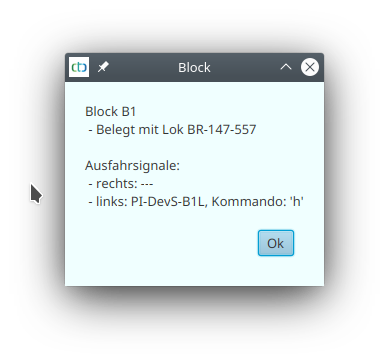
The IDs and further information about blocks and beacons can be obtained by clicking on the relevant block:
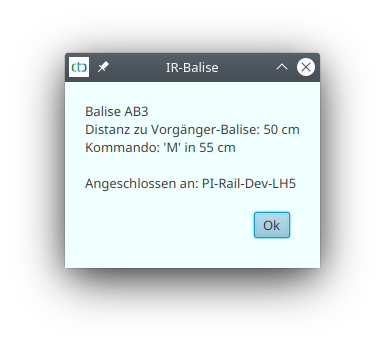
or beacon in the track diagram:
Creating / Configuring a Block
To create a block, first select a CTC-Turnout-Module or CTC-Multi-I/O-Board where the overall plan is to be stored. Open its config dialog:
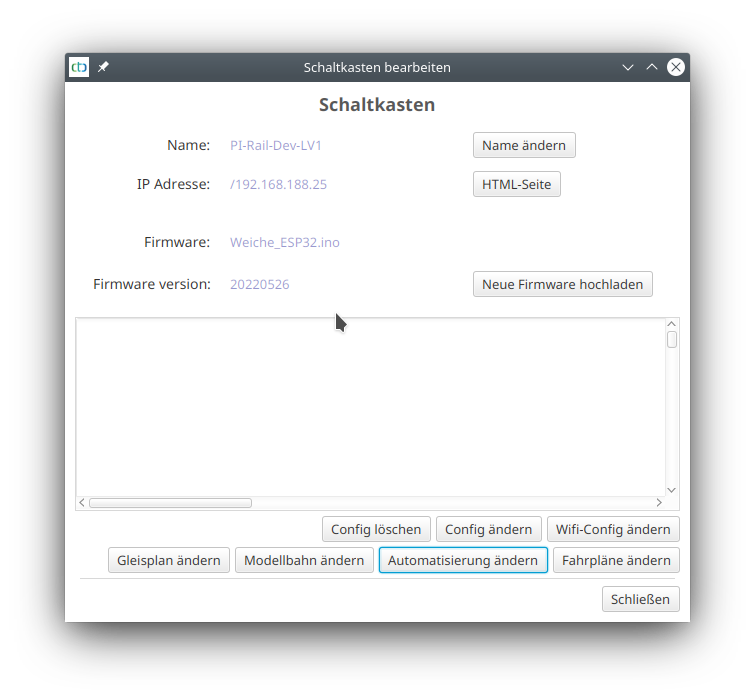
There, click "Change automation", then the plus button next to "Products and Actions":
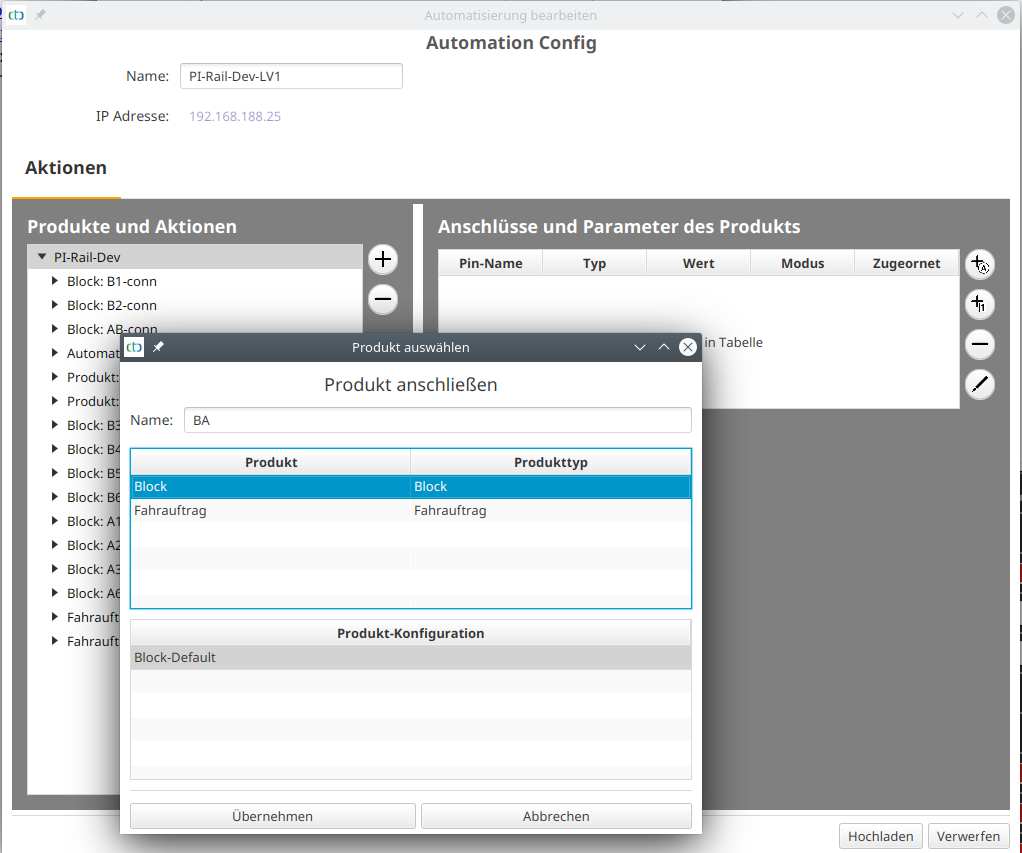
Signals in the Block
For both ends of a block, an exit signal can be defined. This receives a position ID consisting of the block name followed by a plus ('+') if it is at the end of the section in the clockwise direction (right). If the signal is at the other end of the block, it receives a minus ('-').
You can assign a signal to a block by giving the signal a position ID in the track diagram editor :
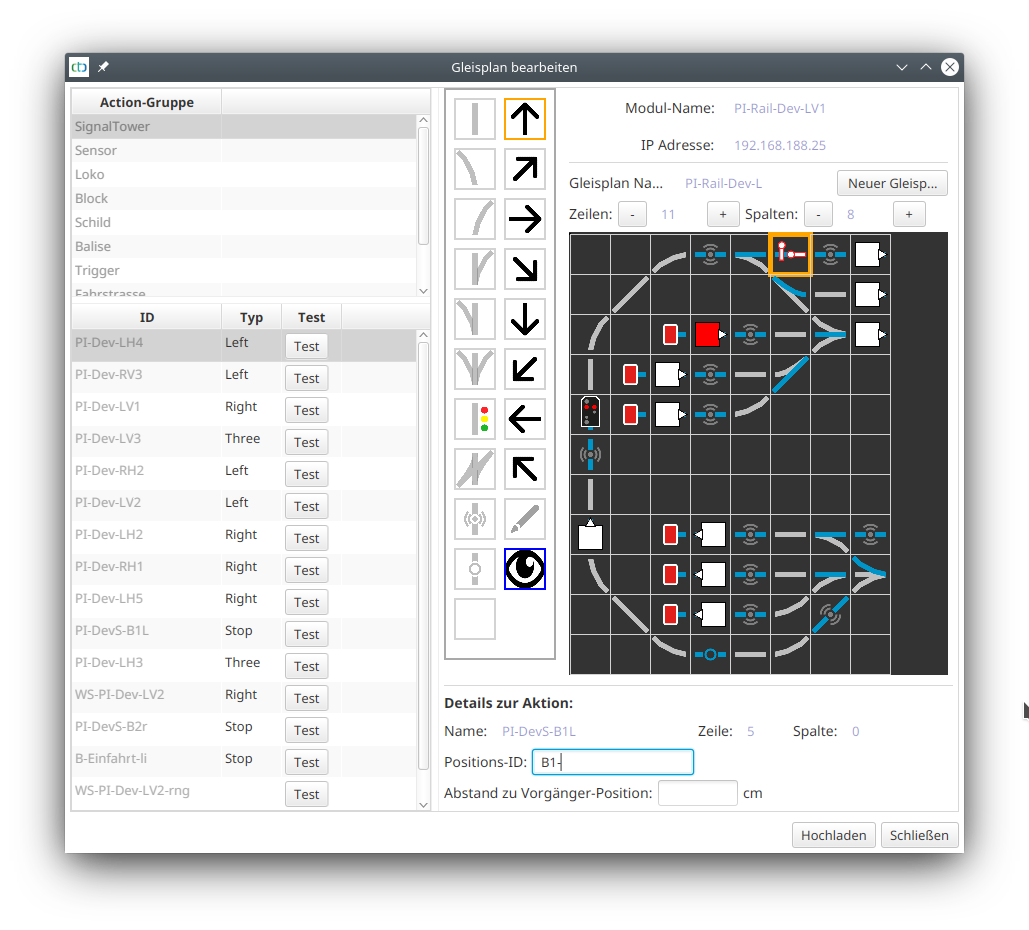
This allows the CTC-App to inform a loco, which has been stopped in a block due to a red signal, when the signal clears for travel again.
Note: To prevent a loco from being cleared by the wrong signal, a block may have at most one signal per travel direction assigned.