





This article is outdated with version 4 of CTC. The follow-up article can be found here .
Note: This article was updated on 05.02.2021 to match version 3 of CTC.
This article is a continuation of A CTC model railway is created and deals with the automation of this model railway.
The CTC app basically only offers a few simple automations. Those who want to go all out will have to wait a little longer until we have created an interface to model railway control software such as iTrain.
The basis for automation is always suitable sensors. With CTC-IR beacons in the track and corresponding receivers in the locomotive, CTC is perfectly equipped here. Because unlike classic sensor technology with track circuits, light barriers or reed relays, the CTC app not only knows that something has passed by, but exactly which locomotive it was.
Automatically stopping before a red signal
The simplest automation can be implemented in CTC without any intervention by the app. Here, the locomotive is informed via the IR beacon that it should stop and at what distance. The necessary link between the signal and the IR beacon is set in the configuration of the CTC-Turnout-Module to which the IR beacon is connected.
To do this, we search for the relevant CTC-Turnout-Module in the configurator and click on the pencil symbol. This opens the "Edit switch box" dialog. There we insert the IR beacon via the product catalog and then switch to the "Actions" tab.
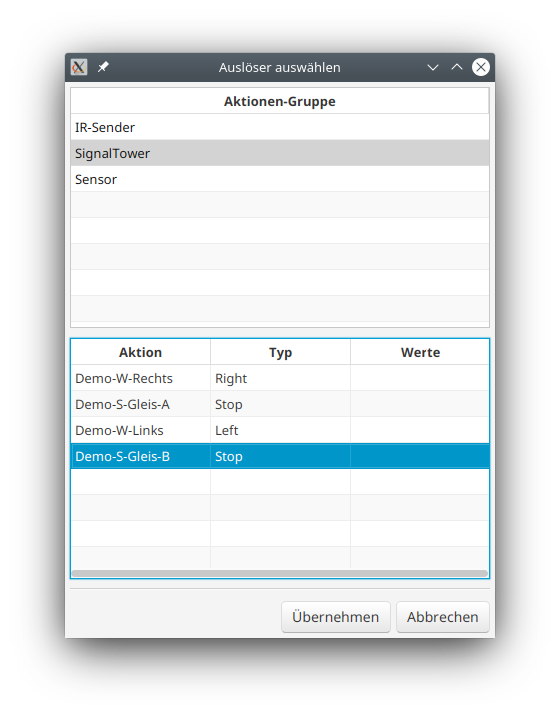
There we select the trigger below the IR beacon under "connected products". The "Action details" appear. There we click on the button to the right of "Trigger" and select the associated signal:
The necessary scripts and commands were already created when importing from the product catalog. We only need to enter the correct distance to the stopping point in the scripts:
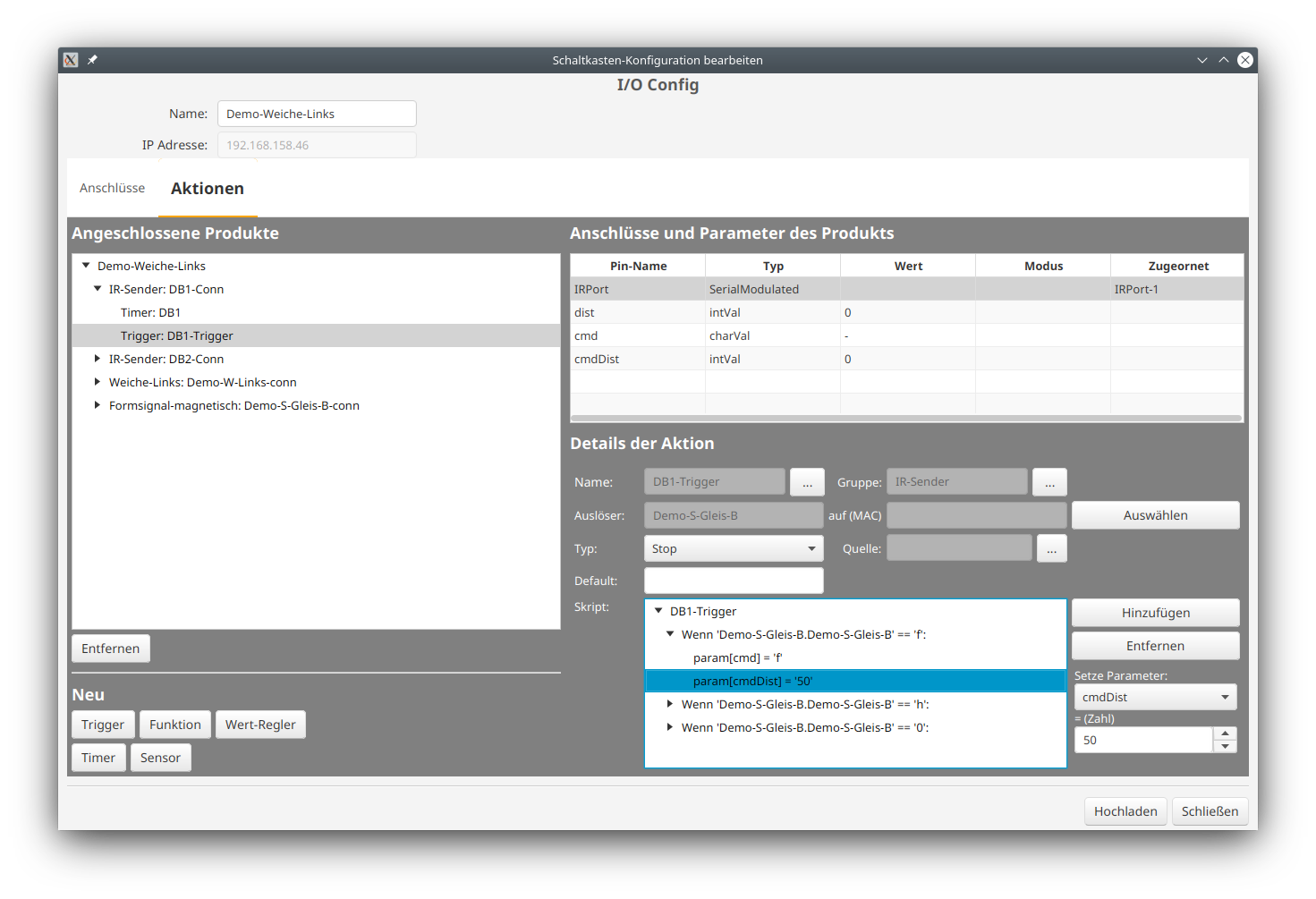
After clicking "Upload", we can try whether our configuration works: As soon as a locomotive passes the corresponding IR beacon in front of a red signal, it starts to brake. At the latest when passing the second IR beacon (with cmdDist = 0), the locomotive stops.
If we have set the braking parameters of our locomotive well enough, we can even do without the second IR beacon.
Switching when passing an IR beacon
If we want to switch a turnout or signal when passing an IR beacon, the CTC app must take care of it. How this works is described in the chapter Linking actions of the user manual.
At a later date, we will go into this topic in more detail as part of a detailed example.