





This chapter covers the following topics:
- Resetting turnout modules
- Installing turnout modules in Märklin C-track turnouts
- Installing loco modules
- Installing IR beacons in Märklin C-track
Basics
If you are ever not 100% certain how a module is configured, you should reset it before connecting anything to it
Always—and this cannot be emphasized enough: ALWAYS—before a CTC-Turnout-Module or a CTC-IO-Module is installed and wired, it must be reset. “Reset” in this context means it must have an “empty” configuration.
This prevents unintended, undesirable, and potentially harmful control and switching states. These could, for example, originate from a previous configuration and wiring that made sense for a different layout but is no longer required, desired, or may even be harmful now. An unsuitable configuration can lead to the destruction of CTC modules or other switching elements.
Note: CTC-supplied modules are always delivered in a reset state, so no action is required for these.
Resetting the configuration of turnout modules
For simplicity, it is recommended to reset each CTC-Turnout-Module individually.
CTC-Turnout-Modules and CTC-IO-Modules are reset before installation and wiring of the track layout as follows:
- Power on the module to be reset.
- Start the CTC app.
- In the start window, under the “Module List” tab, the list of all modules appears. Since only one CTC-Turnout-Module is powered, the list contains only one entry.
- In the row of the module to be reset, click the pencil icon in the Edit column.

The “Switch Box” window opens. Click the “Replace Config” field.
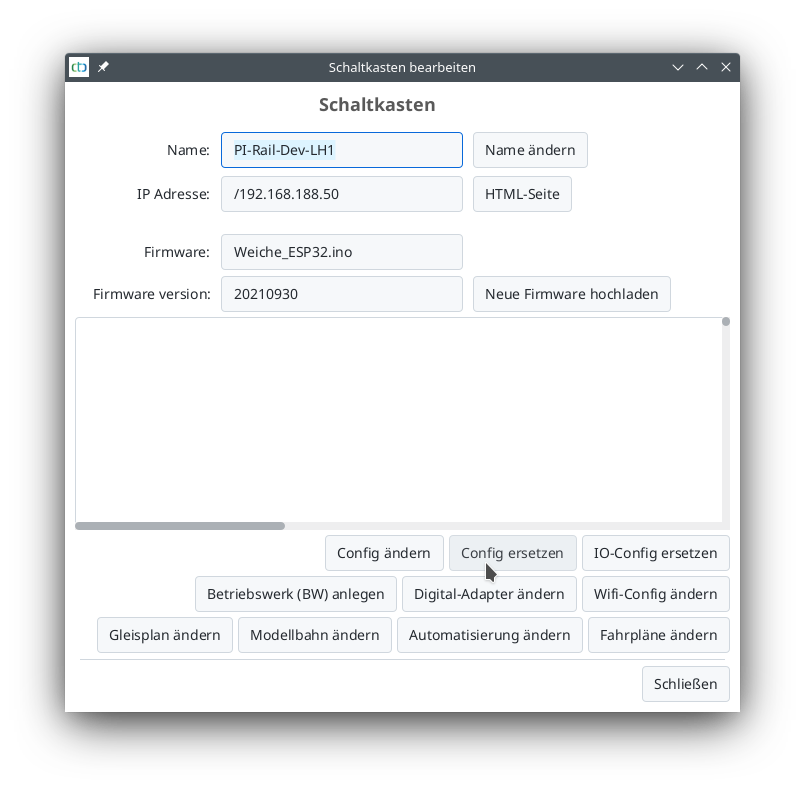
The “Select Config” window opens:
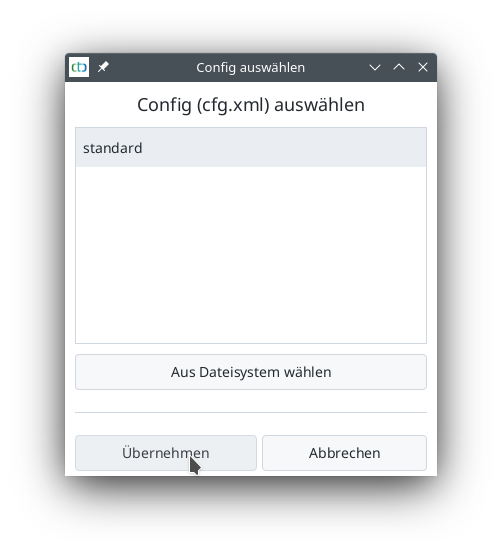
- Select the “standard” configuration.
- Click “Apply.”
A notice with information about the selected configuration appears:
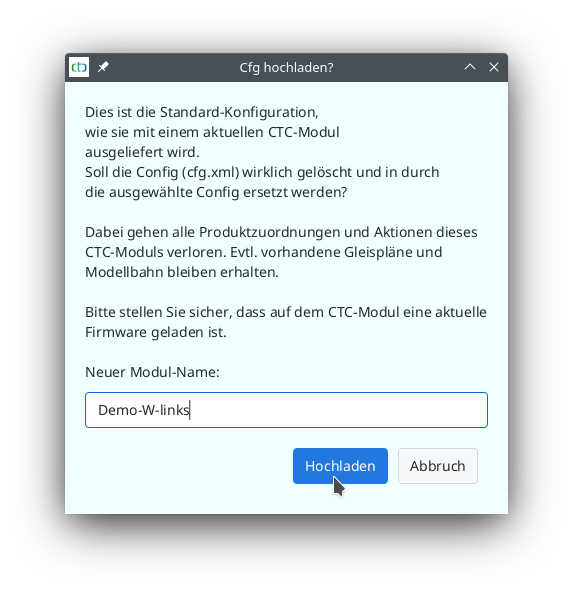
- Assign a new name to the module being reset. In the example, this is done first for the CTC-Turnout-Module to be installed in the left turnout. The name “Demo-W-left” is assigned.
- Click the “Upload” button.
The old configuration is deleted, and the successful upload to the module is confirmed with the previous module name:
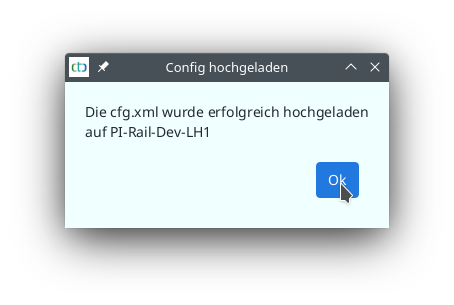
Now the new name is already displayed in the module list:
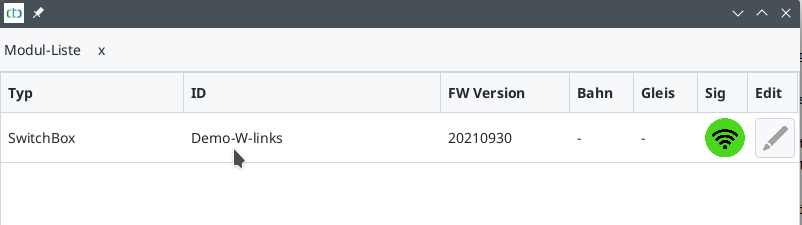
The second turnout module is reset in the same way: Turn off the power supply. Connect the second turnout. Turn the power supply back on. Restart the CTC app. Reset the second CTC-Turnout-Module just like the first one.
Since it is the module for the right turnout, the name “Demo-W-right” is assigned. Both CTC-Turnout-Modules are now reset to a known and defined initial state and have a new unique name.
Both turnout modules are reset and connected to the power supply. The CTC app is restarted and shows the newly assigned names:
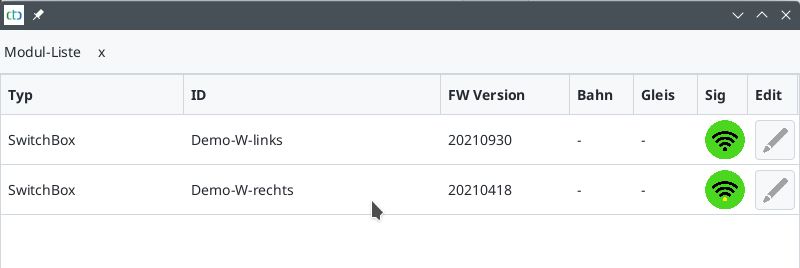
Note that resetting the configuration does not delete the track plan stored in a module. If a track plan is stored in a module, it remains intact after resetting.
Installing turnout modules
The CTC-Turnout-Modules in this starter set are used for the following functions:
- Controlling the electromagnets of the turnouts
- Controlling a semaphore signal with magnetic coil drive (note: NOT a light signal, but a mechanical signal)
- Two IR beacons
Each turnout has its own CTC-Turnout-Module.
The CTC-Turnout-Modules must be installed in the turnouts. Note the module names assigned during the reset of the turnout modules:
- The module “Demo-W-left” is installed in the turnout used on the left side of the track plan and is a “left-hand turnout.”
- The module “Demo-W-right” is installed in the turnout used on the right side of the track plan and is a “right-hand turnout.”
Further information on switching with CTC modules can be found here:
Overview of switching with CTC .
The instructions for installing or converting Märklin C-track turnouts are here:
Converting Märklin C-track turnout .
Installing loco modules
The CTC modules for locomotives perform the following functions:
- Motor control of the locomotive
- Headlight in the direction of travel and rear light
- Infrared reception
- Control of the uncoupling mechanism (if present in the locomotive)
Each locomotive has its own CTC-Loco-Module.
The CTC modules for locomotives must be installed in the locomotives. Instructions are available here:
Overview of CTC-Loco-Modules .
Installing IR beacons
The IR beacons must be installed in the track. Instructions are available here:
The individual modules are installed, and the track layout can be assembled.