





For precise target braking before a red signal or load control, the CTC-Loco-Module needs to know the actual speed of the locomotive. To do this, a sensor is installed in the locomotive's motor driver that provides a rough estimate of the motor speed based on the current flow. The calibration process determines a characteristic curve that maps the sensor values to the speed.
To perform calibration, a measurement section consisting of two beacons must be available. During calibration, the locomotive autonomously drives around the loop over the beacons or oscillates back and forth.
Note: This process is described in detail in the starter set, see Starter-Set Sensor kalibirieren
Define measurement section
The measurement section is defined in the "Edit model railway" dialog:
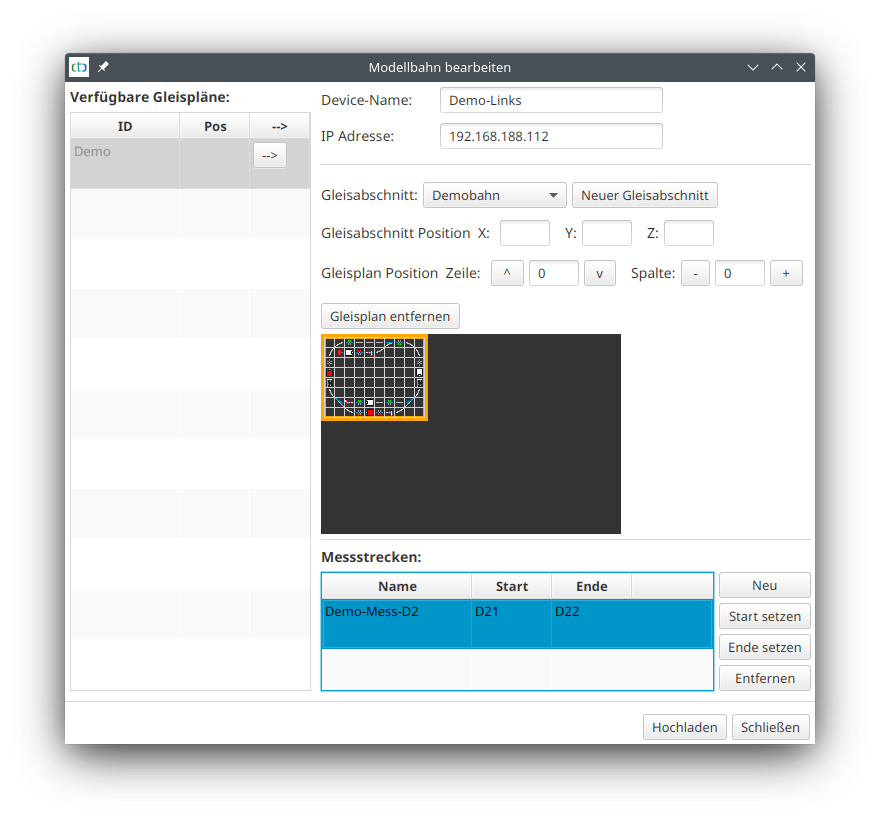
The two beacons must belong to the same block (first two characters identical) and come directly one after the other. The "Distance to predecessor" of the beacon with the higher number then determines the length of the measurement section.
Calibrate motor sensor
Open the "Calibrate motor sensor" dialog via the "Calibrate sensor" button in the locomotive configuration of the relevant locomotive.
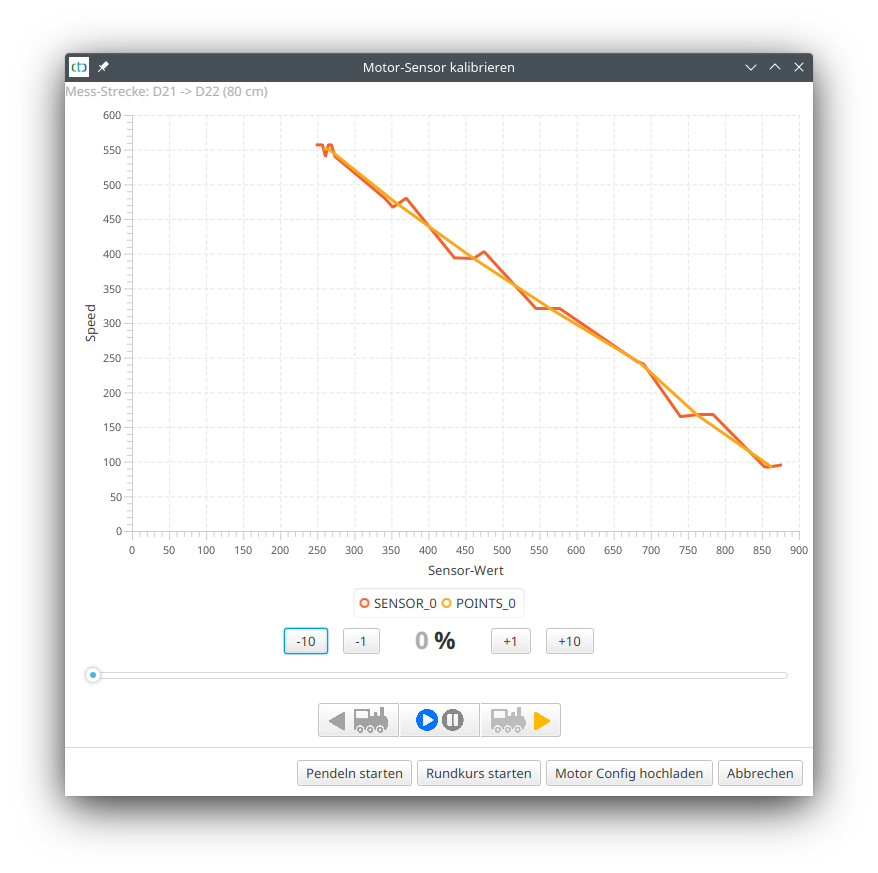
At the top, the measurement section is displayed. Please double-check that the beacon designations and distance are correct.
Accelerate the locomotive to the minimum speed at which it still runs smoothly. Then start the calibration process by clicking "Start oscillation" or "Start loop".
Note: For oscillation, the locomotive requires considerable space at both ends of the measurement section.
The locomotive drives the measurement section three times, then accelerates by 10% and drives the section three times again. This repeats until the locomotive has exceeded 80%, then it stops.
The dialog will then look something like the image above for the Piko BR 147 . If you are satisfied with the result, click "Upload motor config".
Note: Those who want to be very precise can find the data transmitted during the measurement as "Motor-Setup.csv" in their user directory. This can be opened, for example, with Excel or LibreOffice and evaluated in detail.