The track diagram signal tower enables switching turnouts via a schematic representation of the model railway. Individual (partial) track plans are combined into track sections and saved as "model railway". The track plans as well as the model railway are each stored in a CTC-Turnout-Module or a CTC-IO-Module .
Thus, a track plan can be created for each connected part of a model railway (module, segment) and stored on that part.
The model railway and its components are automatically read in as soon as the corresponding CTC module reports in.
How to use the track diagram signal tower and what the symbols shown there mean is explained in Chapter 1.6 - Track Diagram: Switching and Status Indicators .
Before a model railway with its track sections can be created, the individual (partial) track plans must be created.
A track plan can be used in any number of track sections. However, a turnout, signal, level crossing, etc. can only be placed in exactly one track plan.
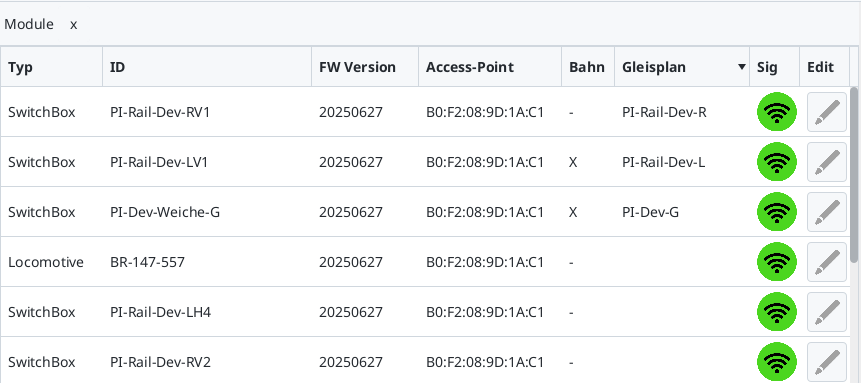
To find out on which modules a track plan or a model railway already exists, open the module list (or the configurator). There, a cross is set under "Railway" if a "model railway" is stored on the module. For modules on which a track plan is present, the name of the track plan is displayed in the "Track Plan" column. In the following example of our trade show layout, a model railway is stored on two modules and a track plan on three modules: